Do you expect to install the Eye Candy 7 filter plug-in for Photoshop, which has powerful functions, and successfully realize the Chinese interface? This tutorial will explain in detail the complete installation process of Win system and MAC system as well as the Chinese process.
Software function overview
There is a Photoshop filter plug-in called Alien Skin Eye Candy 7, which contains more than 30 special effects. In the design work of 2026, it can quickly add realistic effects such as glass, metal, flames and lightning to text, icons or the overall picture. The operation logic of this software is intuitive. Complex visual art can be achieved with simple parameter adjustments, which will greatly improve the designer's work efficiency and expressiveness of the work.
Multiple versions are supported by this plug-in, from Adobe Photoshop CS6 to CC 2025, and its compatibility is relatively wide. For button effects, suitable filters can be found in web UI design, or title text effects, or flat posters. Effects that require complicated steps are encapsulated by it and can be completed with just a few clicks, turning them into operations.
Win system installation preparation
Before starting the installation, you must prepare the installation program of Eye Candy 7 V7.2.3.182, as well as the crack patch and Chinese translation files. Be sure to obtain these resources from trustworthy websites or forums to avoid bundling malware. It is recommended that after downloading, use anti-virus software to scan the compressed package to ensure file security.
Make sure that the Photoshop software you are using has been completely closed, and record the exact path of the Photoshop plug-in directory. This path is usually located in the Adobe plug-in folder in the Program Files directory of the C drive. Different versions of Photoshop have slightly different paths. Finding this in advance can prevent selection errors during installation.
Win system installation and cracking
Double-click the downloaded installer (.exe file) to run it. In the installation wizard, carefully select the plug-in directory corresponding to the version of Photoshop you have as the installation target. Click the "Next" button until the installation is complete. At this time, the plug-in function is still unavailable. In this case, you need to apply the crack patch.
Go look for the cracked file you downloaded. This is a file in .dll format or .amt format. Copy it and paste it into the Eye Candy 7 installation directory. The system will prompt you whether to replace the original file, select "Yes". This step is the key point to activate all functions of the software. Once completed, the official authorization verification can be bypassed.
Win system localization and verification
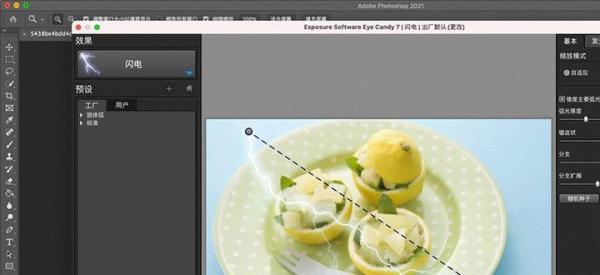
Similar to cracking is the Chineseization process. Copy the prepared Chinese language files to the same plug-in installation directory and overwrite the original English language files. After completing this, restart your Adobe Photoshop software. Under the "Filter" menu of Photoshop, find the "Alien Skin" submenu and click to enter Eye Candy 7.
If everything goes smoothly, the pop-up plug-in interface will be completely in Chinese. You can try randomly picking an effect, like "Chrome" or "Smoke", and apply it to the test layer. If the effect can be generated normally and there is no trial prompt, it means that the installation, cracking and localization have been successful.
MAC system installation steps
For designers using Apple computers, the installation process is slightly different. First, download the .dmg installation package adapted to the MAC system, as well as the crack patch and Chinese files. Next, open the .dmg image file, and you will see the plug-in application icon. Then, drag the icon to the "Plug-Ins" directory under "Adobe Photoshop" in the "Applications" folder.
The system may ask you to enter the administrator password to authorize this operation. After the installation is completed, do not start Photoshop for the time being. Next, process the cracked file, find the corresponding downloaded patch, copy it and replace it with the newly installed plug-in body file in the Plug-Ins directory, and complete the permission unlocking in this way.
Chineseization and finishing of MAC system
The method of using Chinese files is the same as that of Win system. Drag the Chinese language component into the same Plug-Ins folder, replace or add it to the plug-in resources, then open Adobe Photoshop, call Eye Candy 7 in the filter list, and check whether the interface has changed to Simplified Chinese.

In order to ensure that the plug-in can run stably for a long time, it is recommended to back up the cracked and localized plug-in files before updating the system or upgrading Photoshop. If you encounter any problems during use, you can try to perform the overwriting steps again, or check the latest discussion posts of the relevant design community after 2025 to find solutions.
You have successfully installed this powerful special effects tool. Which style of design work would you most like to use it to create? You are welcome to share your thoughts in the comment area. If the tutorial is helpful to you, please like it to support it and share it with more friends in need!