In the early hours of this morning, Apple suddenly pushed the iOS 9.34 system update to users. This update did not add new features. Its main purpose was to provide security patches, and it was recommended that all users install it. This is reminiscent of the release of the iOS 9 jailbreak tool not long ago. This update is most likely to block related loopholes.
Security considerations for system updates
Apple's update this time emphasizes "security," which generally means fixing vulnerabilities in the system that may be exploited maliciously. After the jailbreak tool is made public, the details of the vulnerabilities related to it will become more widely known. If not patched in time, the risks faced by user devices will increase.
So, even though the update instructions seem easy to understand, installing it is extremely critical. It can be extremely effective in preventing your personal information and payment-related data from being stolen. This is an essential protective measure for anyone who uses an iPhone or iPad.
The game between jailbreaking and system security

Jailbreaking allows users to obtain more customized permissions and then install applications from unofficial channels. However, this process itself requires the use of system vulnerabilities, and these vulnerabilities can also be exploited by malware, thus endangering device security.
Apple has always been opposed to jailbreaking. Whenever a jailbreak tool appears, Apple will immediately launch system updates to patch the corresponding vulnerabilities. This situation constitutes a continuous offensive and defensive battle, and users have to make their own choices between the kind of "freedom" and "security" they are in.
Performance changes before and after upgrade
Many users are worried that their phones will become stuck after installing system updates. Looking at the minor version update history of iOS 9, this type of minor updates that focus on security usually do not have a significant negative impact on system fluency. .

On the contrary, sometimes, correcting certain security vulnerabilities can also achieve indirect optimization of system resource scheduling. Of course, if the type of device you are using is relatively old, you can wait and see for a while before upgrading to check the feedback of other users of the same model before making a decision.
Why it is recommended for all users to install
Apple's wording of "recommended for all users to install" indicates that it confirms that the scope of the vulnerability repaired is quite wide, or the potential harm is relatively large, which is very likely to be related to many levels of security issues such as network communication, data encryption, and application sandboxing.

Ignoring such updates puts the device at known risk. Especially for those users who use mobile phones to handle work and make mobile payments, updating immediately is the safest move.
Tips for dealing with low storage space
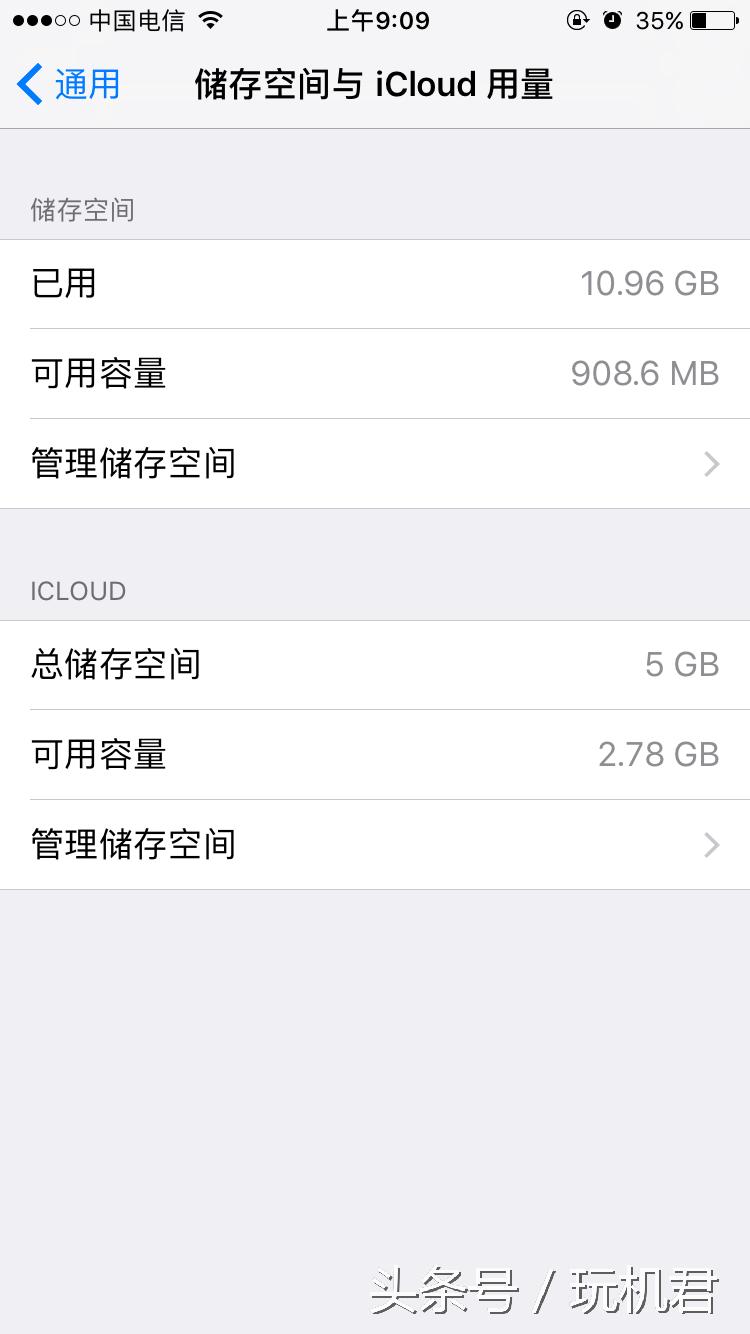
Among users of the 16GB version of the iPhone, tight storage space is a common situation. When the space is almost exhausted, even normal photos cannot be taken. Here we describe a method to clear the cache using the system mechanism, which can quickly release a few GB of space.
First open the App Store, search for and pick a free application with a large capacity, such as "Toy box 2.0" (about 3.8GB). Click Get. When the system prompts "Insufficient storage space", click "OK". The system will try to clear the space on its own.
Effective storage space management

The above method can perform repeated operations. During each operation, there is the possibility of clearing out temporary cache files of about 1GB, which can slowly accumulate to release about 3GB of space. This essentially triggers the system's emergency cleanup mechanism to delete unnecessary temporary data such as application caches.
But this is only a temporary measure. Thinking about the long-term situation, regularly sorting out photos and videos, uninstalling apps that are not commonly used, and using cloud storage services are the fundamental ways to manage mobile phone storage space. Develop good usage habits so that you can avoid the embarrassing situation of "memory full".
Do you often worry about insufficient storage space on your mobile phone? Do you have any good methods for managing mobile phone storage space? You are welcome to share your past experiences in the comment area. If you find this article helpful, please give it a like and support it!