
Expand your browser options on your Mac to include more than just Safari. Some of these browsers you may have never heard of, but in certain scenarios, they are more useful than Apple's own browser. If you are tired of the single interface or are looking for more functions, then the following content will bring you new choices.
Common alternatives
The biggest advantage of Google Chrome, which has more than 3 billion global users, is its deep integration with Google accounts, which can synchronize passwords, bookmarks and history. Whether using Gmail or Google Docs, Chrome can provide a seamless experience.
The set of built-in developer tools derived from Chrome has very powerful functions and can support real-time debugging of web page code. Although it takes up a relatively large amount of memory, the version launched in 2025 is still among the top in the speed test. This is a solid alternative for a broad group of users who rely on web applications for office activities.
Privacy-focused options
In recent years, Mozilla Firefox has regarded privacy protection as a core function it relies on. Its enhanced tracking protection function can automatically block social media trackers and fingerprint collection scripts. Some old plug-ins will be removed in the version updated in 2025 to further improve performance.
In Firefox, the container function allows users to create independent login environments for different websites. This means that you can log in to two different social media accounts at the same time in the same browser without interfering with each other. It is particularly practical for users with multiple account management needs.

Featured browser
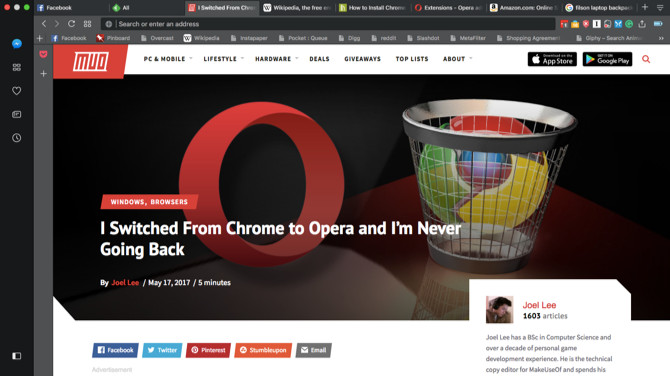
Although Open Browser does not have a large market share, it is often the first to introduce innovative features. In the 2010s, it focused on reducing CPU usage, and now it has a completely new design for the sidebar interface. Its built-in free virtual private network and ad blocking are among its more outstanding features.
Opera's Workspaces function allows users who are suitable for carrying out multiple tasks at the same time to create independent workspaces for different projects. Each such workspace has independent tabs and bookmarks, and this browser has made many explorations in improving efficiency.
minimalist design
The Vivaldi browser was developed by the previous Opera team, but the development direction is completely different. It shows that the interface is extremely simple. In the default settings, redundant elements are basically invisible. Users can quickly call out the required functions with the help of simple settings.
Vivaldi's management function for page tags is very flexible. It supports stacking and grouping operations. It can collapse or expand related web pages into a group with one click. This design is especially suitable for users engaged in research when sorting out a large number of reference materials.
Professional tool browser
The Fake browser is specially optimized for web application workflow. You can use it to create web shortcuts similar to native applications, such as turning Trello or Notion into a separate window. It is not intended to replace the browser you use every day, but as a complementary tool.
The hypocritical developer launched the Fluid application, which can convert any web page into a native Apple computer application. The paid version only costs five dollars to remove the watermark and functional restrictions. This tool is particularly suitable for users who want to deeply integrate web applications into their workflow.
Privacy Security Pioneer
Regarding Tor Browser, there is now a separate package specifically for installation, which simplifies the setup process. It is developed based on Firefox, but it is equipped with extremely strict privacy protection settings. This browser has the function of automatically clearing history and cached data.
Even though Tor cannot provide absolute anonymity, it can effectively prevent routine tracking behaviors. This browser with specific features is suitable for journalists, researchers and other user groups who hold extremely high standards for privacy. It should be noted that some specific websites may not be accessible due to security-related conditions.
Each browser has a unique positioning, from the privacy-focused Tor to the feature-rich Chrome. The key to choosing is to clarify your core needs, whether you care about speed, function expansion, or data security. What factors are most important to you when choosing a browser? Welcome to share your experience in the comment area.