Many computer users will have a headache, facing a huge number of local video files, how to quickly find the one they want to watch among them.

The core positioning of software
Fast Video is a software that was originally designed to solve the problem of confusing video file management on personal computers. It does not take on the responsibility of editing or converting videos, but focuses on file retrieval, browsing and organization. For users who have a large number of movies, videos or teaching videos, it can centrally manage videos scattered in various folders.
This tool focuses on the "fast" feature, and its indexing and search functions are the main selling points. This means that users do not have to manually build a list for each video file. The software can scan the hard drive by itself and generate a visual video library. For photography enthusiasts, educators or ordinary movie fans, this can save a lot of time in searching.
Main features
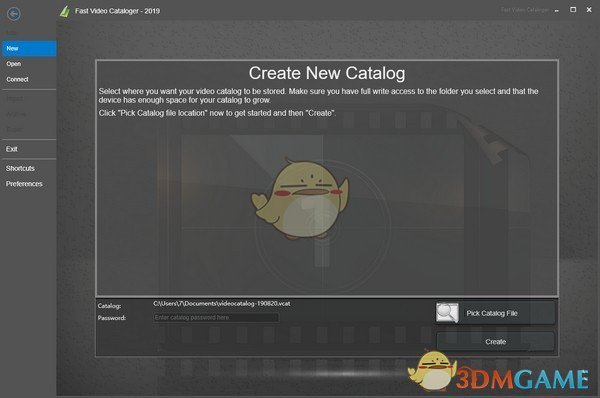
This software has many functions that are practical and easy to manage. First of all, it has the ability to sort and compile search items by itself. After the installation is completed, it can scan the specified disk or folder to automatically identify the video files that exist in it and then build a corresponding directory. Secondly, it has a very strong search ability. Users can search based on the file name format and even the actual content of the screen.
Another important feature of it is that it has a built-in video player. Users can preview and play videos directly within the software interface without calling an external player program. This ensures the continuity of the process from search to viewing, and avoids the trouble caused by switching between different software.
Free mode and customization
Fast Video provides a model that can be used for free. After the trial period, users can still continue to use the core browsing and playback functions in "browser mode". This situation lowers the threshold of experience. This setting allows users to fully understand whether the software is suitable for them, and then decide whether to pay for an upgrade.
The software supports a certain degree of customization, in the form of extending functions through scripts, for example. For advanced users, they can change or enhance the behavior of the software according to their specific needs. For example, it is possible that some enterprise users may have a need to add customizable metadata fields to videos, and this software can precisely meet such personalized needs and enable them to be realized and achieve their goals.
Practical application scenarios
In real life, this software can be applied to many scenarios. For example, there is a video creator who can import the material library he has accumulated over the years into this software, and then quickly browse all the clips through thumbnails, and then find the shots he needs based on keywords. This is much more efficient than searching for folders one by one in the resource manager.
For home users, if there are a large number of children's growth videos and travel videos on their computers, this software can easily classify and mark them according to time, location or events. When reviewing later, it is very convenient to instantly locate the video at a specific moment through keyword search.
Potential problems and shortcomings
Even if the functions are practical, this type of management software may have limitations. Specifically, when it comes to supporting video formats, it may not be comprehensive enough. Some video files with unpopular encoding may not be correctly recognized or thumbnail images can be generated smoothly. The indexing speed of the software also depends on the number of video files in the hard disk and the inherent performance of the hard disk itself.
Nowadays, cloud storage and online videos have become mainstream. Under this situation, the scenarios that software used purely for managing local videos may be increasingly narrowing. Currently, many users are increasingly accustomed to using network disks or streaming media services. As a result, the size of the local video library continues to decrease.
Get and use suggestions
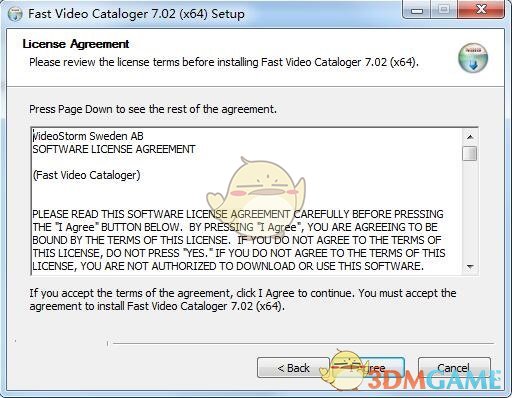
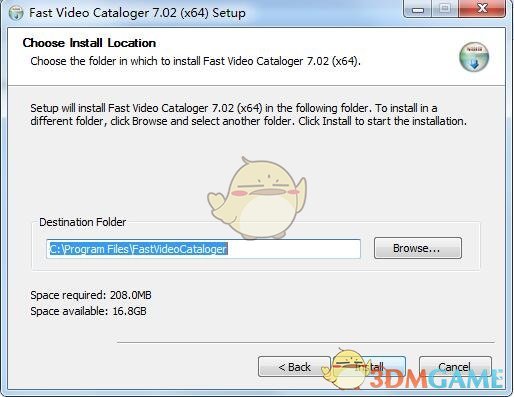
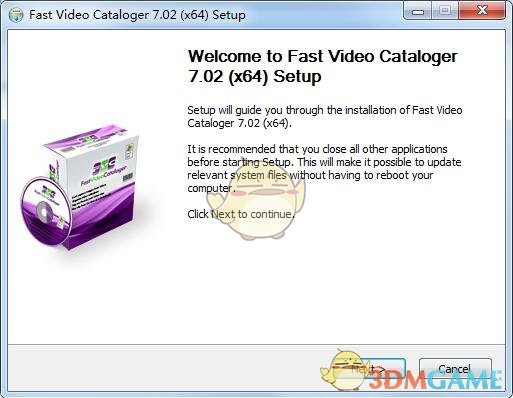
Users can obtain the Fast Video installation package through its official website or a trusted software download platform. The installation process is relatively simple, as long as you follow the wizard steps to complete. When using it for the first time, Jianshe first designates a folder with a small number of videos to test, so as to become familiar with its operating logic and indexing speed~.
During use, the key is to set the scan path appropriately and make good use of the keyword tagging function. Update the software version regularly to get better compatibility and new features. For those users who really have a lot of local video management needs, it is worth trying.
Have you ever tried using software specifically designed to manage videos on your computer? Has it actually improved your efficiency, or has it made the operation more complicated? You are welcome to share your experience and opinions.