
The goal that many players pursue is an immersive gaming experience, but system-level optimization is making this experience more accessible on PC.
Revolutionizing the full-screen gaming experience
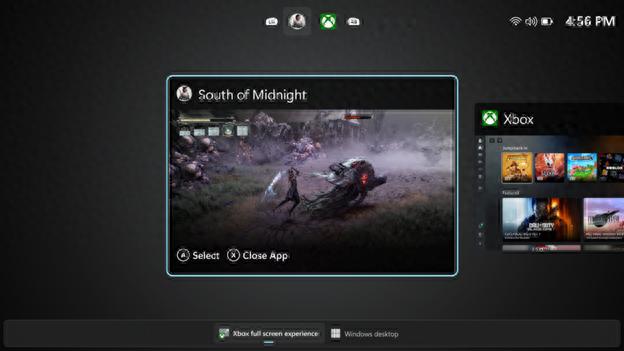
It is committed to creating a new full-screen experience that is close to the host operating environment, simplifying the interface elements and automatically managing background work content, reducing system interference when the game is running, directly improving game performance, making the frame rate more stable, and loading and response speeds faster.
Users do not need to go through complicated settings, they just need to set the Xbox application as the main application in the system settings to enable this mode. For players who use handheld PC devices, the system can also support entering this mode directly after booting, allowing them to jump into the game from standby more quickly.
Intelligent evolution of right-click menu
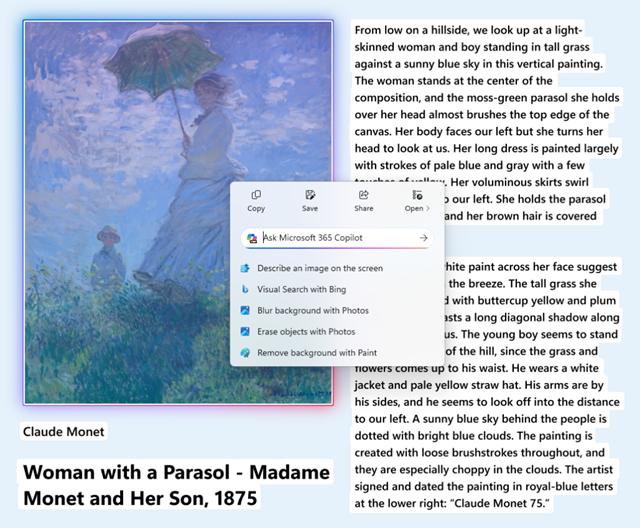
The design idea of the "one-click operation" right-click menu is to reduce the user's operation process. When a large picture or data table is displayed on the screen, this menu will pop up on its own, giving priority to the functions that the user is most likely to use at this time. This changes the traditional right-click menu model in the past that required users to search for functions in a long list.
For example, when facing an online picture, the pop-up menu will directly provide buttons for saving, copying or sharing, and then collapse other options that are not commonly used. This design shortens the operation path and makes daily file and media processing more efficient.
AI assistant in settings
The enhanced search function exists within the system settings and is completed by the AI agent. Nowadays, the purpose of search is not only to find setting items, but also to directly adjust some parameters. AI can understand user intentions and provide context-related operation interfaces to achieve "instant search and use".
When the user performs the search behavior of "Adjust screen brightness", a brightness slider will appear directly near the search results. Users can directly drag to make adjustments without having to enter the secondary settings page again. If the search operation encounters restrictions, AI will clearly inform you of the reasons and provide alternative solutions.
Hardware expansion of camera special effects
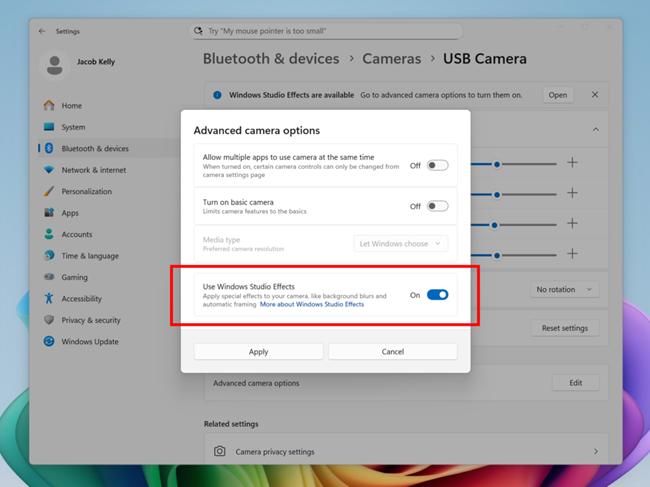
Prior to this, some AI-driven camera special effects, such as background blur, eye correction, etc., could generally only be used with the built-in camera of a specific brand of notebook. A recent update broke this hardware limitation. Now, users can use an external USB camera or the rear lens of some notebooks to invoke these special effects.
In the context of Bluetooth and device settings within the device, users can turn on these enhanced features for selected external cameras. This means that during video conferences or live broadcasts, even if you use more professional external camera equipment, you can still achieve the same portrait optimization effect.
Improved efficiency of file management

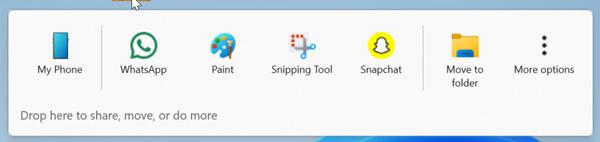
The drag-and-drop tray in Explorer for file management can now handle file sharing events from multiple sources simultaneously. Once the user selects a file, the system will use intelligence to make predictions and present more potentially related applications, so that the user can quickly send the file or start subsequent steps.
At the same time, the system has fixed a problem. What is the problem? Under the dark theme, the visual styles of some operation dialog boxes and progress bars are inconsistent. This triggered a result, what result? That is, when the entire system enables dark mode, the visual experience of the file manager becomes more unified and harmonious, thereby reducing the abruptness of interface elements.
Continuous integration of system settings
Microsoft is gradually migrating the functions in the old control panel to the new "Settings" application. Advanced settings such as keyboard repeat delay and cursor blink rate have now been fully integrated into the relevant pages of modern settings, so users do not have to switch between two different system interfaces.
The input experience has been improved in details, such as adding support for the AltGr key in language-specific keyboard layouts to facilitate users to enter more special symbols. In addition, users can now centrally manage connected mobile devices such as mobile phones directly in "Settings", access files or use the phone as a webcam.
Among these updates, which functional improvement do you think has the most significant impact on your daily use of computers or games? Welcome to the comment area to share your views. If you find this article useful, please also like it to support it!