Mac users with a large number of photos face a real pain point, which is how to browse those pictures efficiently, how to filter those pictures, and how to manage those pictures, which is time-consuming and takes up valuable storage space.
Core browsing functionality

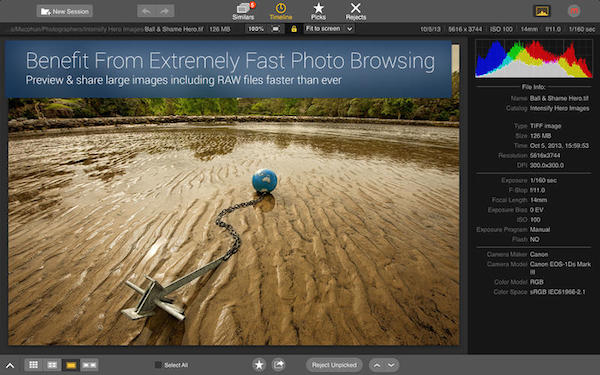
The core of this software on Mac is quick browsing. It can directly open the photos imported from the Mac camera without going through tedious import steps. For photography enthusiasts and ordinary users, this function means that they can immediately review the shooting results and quickly select satisfactory photos for subsequent processing.
The software supports a variety of mainstream image formats such as JPEG, PNG, RAW, etc., thereby ensuring broad compatibility. Its browsing interface design focuses on efficiency. Users can quickly locate with the help of thumbnails, and smoothly flip through a large number of images using the keyboard or touchpad, which greatly improves the speed of viewing and preliminary screening.
Smart photo retrieval
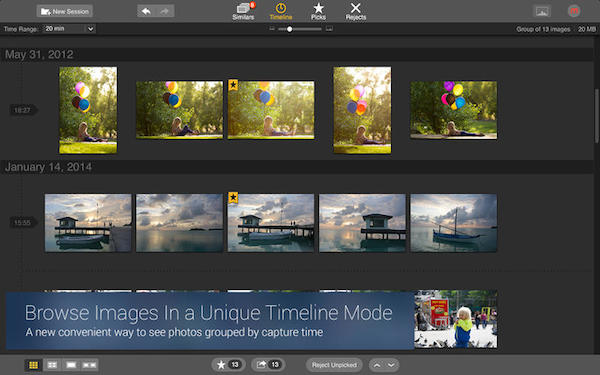
When users have a need to search for specific themes from a large number of photos like an ocean, such as landscape photos taken during a vacation, the software provides the functions of browsing and intelligent retrieval based on time. Users can quickly and accurately locate a specific time period based on year, month, and date, thereby greatly narrowing the search scope.
The software has the ability to identify image content and can help users find photos with similar elements, such as beach scenes, mountain scenery, and group photos of people. This is extremely helpful for organizing family photo albums, and is also very helpful for illustrating blog posts, and can prompt the timely collection of materials related to the theme.
Duplicate picture cleaning
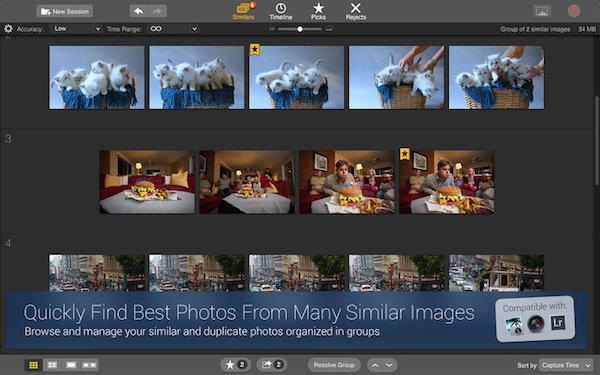
After a Mac computer has been used for a long time, it is easy for a large number of duplicate or highly similar photos to be scattered in various folders, which invisibly causes a waste of storage space. This software uses an intelligent comparison technology that can automatically scan the entire disk or specified folders.
After the scanning is completed, it will clearly present the groups with the same image and similar images in front of the user. Users can compare each set of images and, with the press of a start button, delete poor quality or unnecessary copies, which is practical and helps free up space on the hard drive, keeping the photo library organized and organized.
Photographer workflow support
Time is extremely precious for professional photographers and photojournalists. This software allows them to directly read the photos in the camera memory card for preview and preliminary selection, without waiting for them to be imported into large software like Lightroom. This function is crucial when they need to quickly deliver customer samples or rush to publish news pictures.
During the scene, the photographer can quickly select the best-performing photo, export it directly, or perform simple adjustments, and then share it with the client or editorial department. This simplifies the workflow and improves efficiency from the beginning of shooting to delivery.
Photo library system management
There is a software that can help you organize a large photo library that is used to accumulate picture materials for blogs or projects. It is not just a browser, it is a library management tool that helps you categorize and manage scattered photos.
You can organize photos by project, topic or client, add tags to them, or rate them for quick recall in the future. Combined with its powerful search capabilities, within seconds, you can find the photo that best meets your current content needs from tens of thousands of images.
Share and export operations
The convenient export function built into the software is often used to manage photos. The ultimate goal is often to use and share. This function allows users to adjust the size, format and quality of the output pictures to adapt to different needs such as uploading to websites, sending emails, or printing postcards.
The sharing step is very straightforward. After the user has finished selecting the photo, it can be quickly sent through email, text messages and third-party programs, and a sharing link is also allowed to be generated. This entire set of operations is integrated into the software, reducing the hassle of switching back and forth between different applications.
When organizing photos on Mac, what troubles you most is that you can’t find the picture you want, or are duplicate files taking up too much space? Users who are in the stage of using this device to organize photos are welcome to share their personal experiences in the comment area. If you feel that the content mentioned in these functions is helpful, don’t forget to like it and share it with friends who are also using Mac devices.