I bought a U disk with a nominal capacity of 64G, but the actual usable capacity was only 32G. This "expansion disk" scam has caused many consumers to suffer unspeakable losses. When the data was stored in it, it seemed that there was no problem on the surface, but when it was actually needed to use it, it was discovered that the file had already been damaged and lost.
Common pitfalls of expansion disks
There are some unscrupulous merchants on the market today who will tamper with the firmware information of the USB flash drive in order to make it display a falsely marked capacity on the computer. For example, a USB flash drive with an actual capacity of only 32GB will be incorrectly displayed as 64GB in the operating system after being processed by specific technical means, or may even be displayed as 128GB. This kind of counterfeiting method is not very complicated. It can be achieved by using special tools to modify the controller information. It is difficult for ordinary users to immediately notice the abnormality when plugging it into the computer.
Once you store more data into such a USB flash drive than it can actually hold, problems will arise. Files previously saved may be able to be accessed normally, but when the written location exceeds the actual storage space, subsequent data is not actually retained. The operating system generally does not proactively issue error prompts, which makes the user mistakenly believe that all data has been safely backed up. This situation continues until one day when the file is called, it is discovered that part of the content cannot be read or is completely missing.
Why operating systems are so hard to detect
Operating systems, such as Windows or macOS, mainly rely on available space information reported by the device controller when writing data to a storage device. If the device firmware falsely reports capacity, the operating system will interpret it as true and allocate file storage accordingly. It does not check whether the data is completely recorded on the physical medium after each write, because this process is too inefficient and is not a standard operating procedure.
Therefore, data security is entirely based on the "honesty" of storage devices. Once the device itself is fraudulent, routine checks at the system level are as if they don't exist. Only when users fail to read data, or use professional tools to perform low-level scanning, can they discover that the actual size of the storage space is significantly different from the nominal value.
Principles of professional testing tools
To accurately identify the expansion disk, you must bypass the self-reported capacity information of the device and directly perform write and read verification on the physical storage unit. The principle of professional testing software is this: it writes specific test data to each storage block of the drive, and then reads it back immediately for verification. If a block cannot be written or the data read back is inconsistent, it means that the area is unavailable or does not exist.
This type of low-level detection can reveal the actual status of the storage medium. For example, the software will start from logical sector 0 and continue detection until the maximum sector number declared by the device. For drives with virtual capacity, when the detection reaches the end of the real physical sector, a large number of errors will begin to appear, and the actual available capacity can be accurately calculated.
Detection process and operating steps
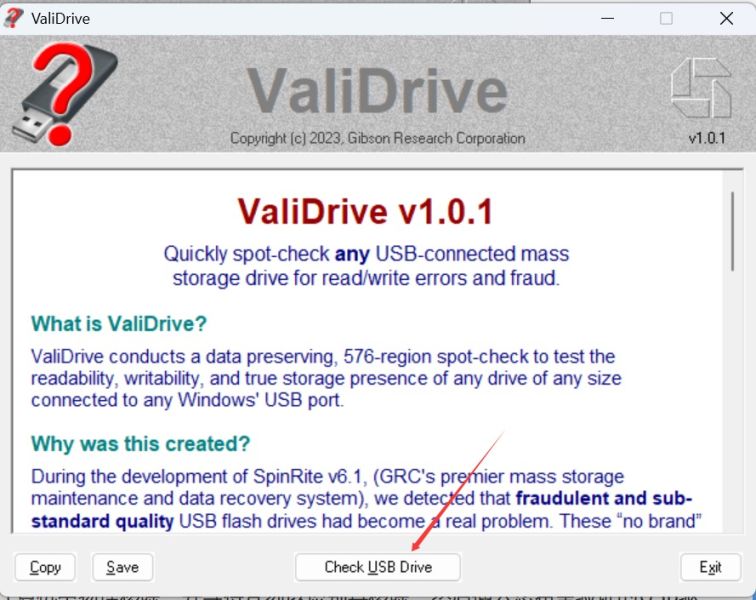
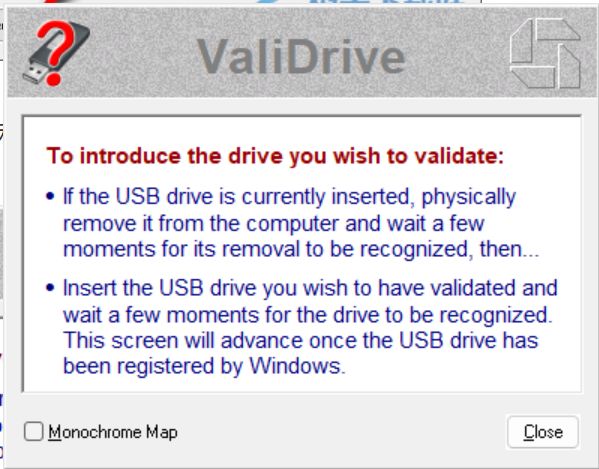
Using this type of tool is generally relatively simple. Take a common detection software, the user must first insert the U disk or mobile hard disk to be tested into the USB interface of the computer. After opening the software, select the corresponding drive letter in the device list. In order to ensure the accuracy of the test, it is better to transfer the original important data in the drive to another safe place before testing.

Tap the Start Test button, and the software will automatically complete the entire set of verification steps. The time this process takes depends on the nominal capacity of the drive. For example, a 128GB USB flash drive may take dozens of minutes. While testing, the software will continuously write verification data to the drive, and will also instantly display the progress, count the number of sectors that have been tested, and the current read and write speeds.
Interpret the key information of the test report
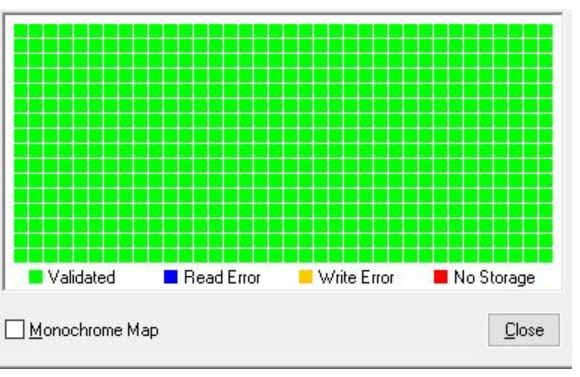
After the test implementation is completed, the software will generate an analysis type report with detailed content. The most core key information in the report is "verified drive size", which can directly tell you about the real usable capacity of this device. Comparing this value with the "Declared Drive Size" will immediately determine whether a false flag is present.
The report usually covers other useful data, such as the curve of read and write speed, the number of error sectors encountered during the test, the date and time corresponding to the test, etc. The read and write speed can reflect whether the device performance can meet the standard requirements. However, too many error sectors may indicate that the quality of the flash memory chip is poor or damaged. Even if the capacity is indeed real, it is not suitable for storing important data.
Data security and purchasing advice
The most effective safety measure for the detected expansion disk is to stop using it immediately, and then communicate with the seller to exchange the goods. As for the data already stored in it, if it is written within the actual capacity, you can still try to retrieve it and you may succeed. However, the excess data will be lost forever. Therefore, setting a time to verify the capacity of important storage devices is an effective habit to prevent data loss.
When choosing a mobile storage device, you should first select official channels and reputable brands. Be wary of "large-capacity" USB flash drives whose prices are significantly lower than the market level. After receiving the goods, immediately use reliable software to conduct a comprehensive verification, and then put them into use after confirming that there are no errors. This is the most direct way to protect your own data assets.
Have you ever encountered a situation where the capacity of a storage device is inaccurately stated? How was it discovered and dealt with at that time? Feel free to share your relevant experiences in the comment area. If you feel this article is helpful, please also give a like to show your support.