When dealing with electronic files in daily life, many people have had similar experiences. That is, after receiving the files, they throw them aside because they have no time to sort them out in time. When it is time to archive or submit, it will be particularly troublesome to search for the pile of files with messy names.
Common troubles with confusing naming
It shows that an internal survey from a technology company in 2023 showed that employees spent an average of about 1.5 hours per week looking for files with incorrect file names. This kind of chaos occurs not only in personal computers, but is even more prominent when working in teams. For example, if a designer receives an image simply titled "Untitled-1," weeks later there will be little way to recall its content.
This situation directly leads to a decrease in work efficiency and may even lead to work errors. When there are multiple versions of files, such as "final version of report", "final version of report", and "really final version of report", not only does it take time to search, but the wrong version may also be used incorrectly. The negative effects of this naming habit are particularly noticeable at the end of a project and when knowledge is archived.

The core value of batch renaming
If you want to face hundreds or thousands of files, it is unrealistic to manually modify the names one by one. The core value of the batch renaming tool is that it can automate repetitive tasks. For example, all photos taken by mobile phones in a folder can be renamed in the format of "shooting date – location" at one time.
This is not just about saving time, but more importantly, building order. Standardized naming is equivalent to setting up a basic index for files. Even without the help of advanced search technology, you can quickly find the target by just filtering by name using the search box provided by the system itself. For those project data that need to be saved for a long time, systematic naming is the cornerstone of subsequent management and search.

Functional depth of classic tools
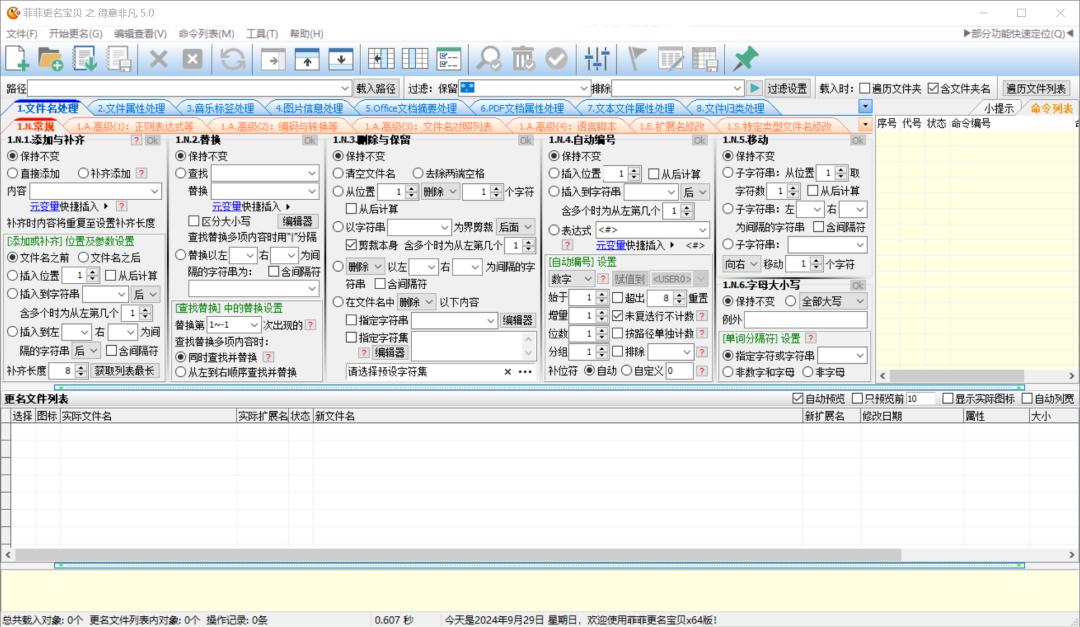
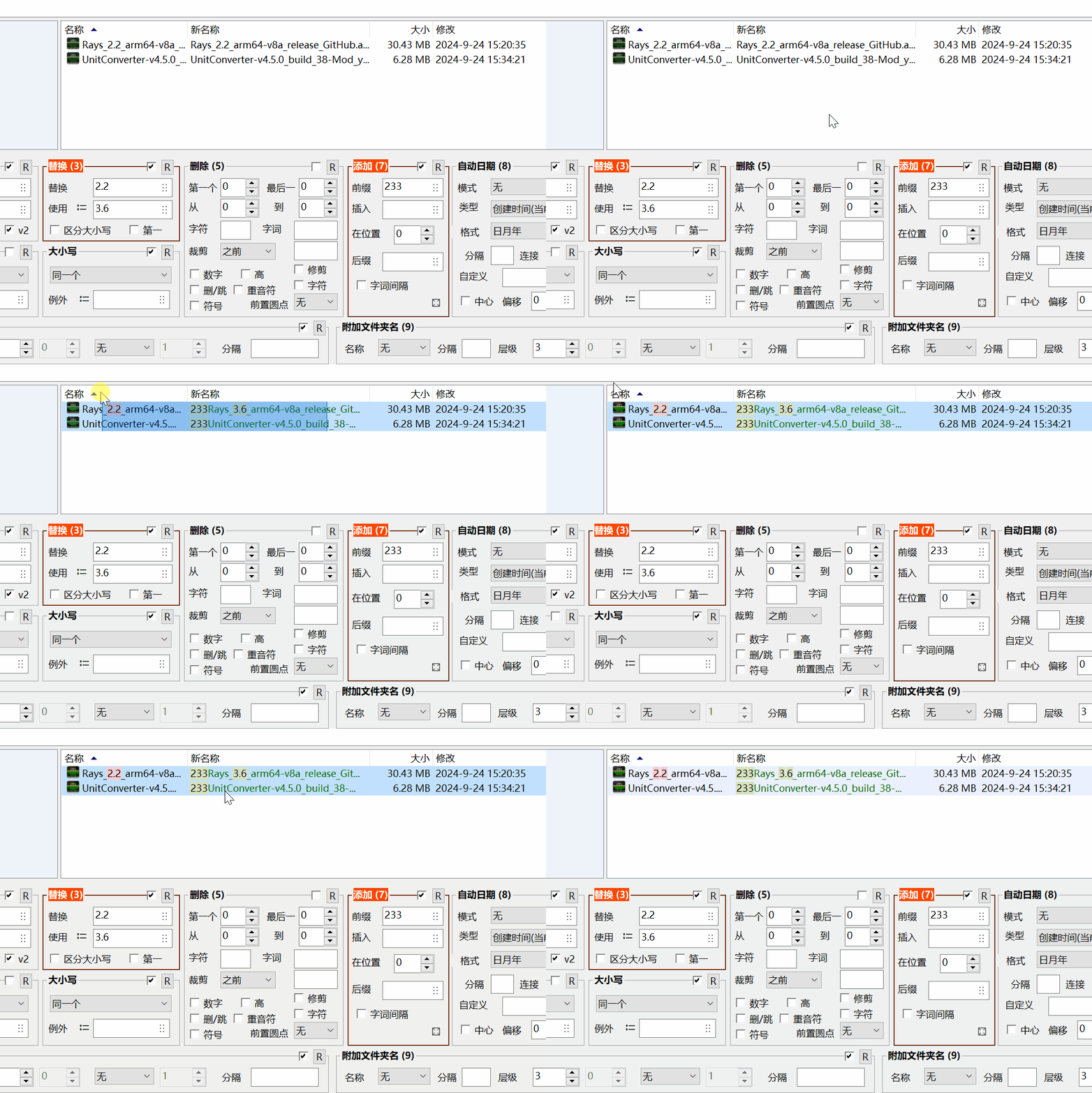
In the field of batch renaming, some classic tools are highly praised for their powerful functions. Take "Feifei Name Change Baby" as an example. In addition to its basic replacement, insertion and serial number related functions, this software can also perform in-depth processing of file attributes. It can directly read and modify the ID3 tags of MP3 files, or process the EXIF information of pictures.
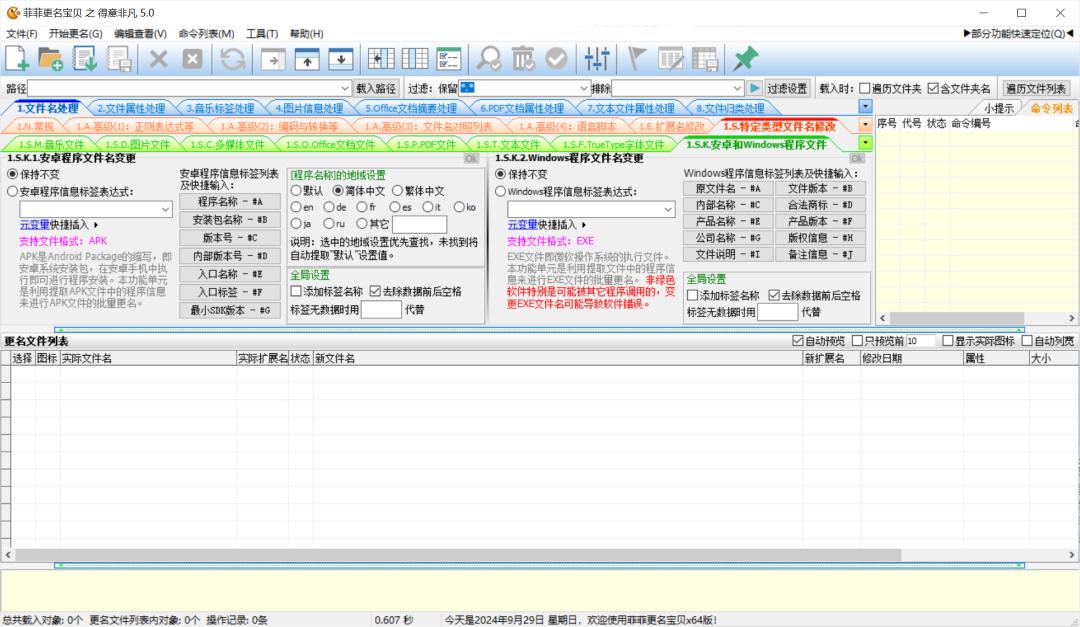
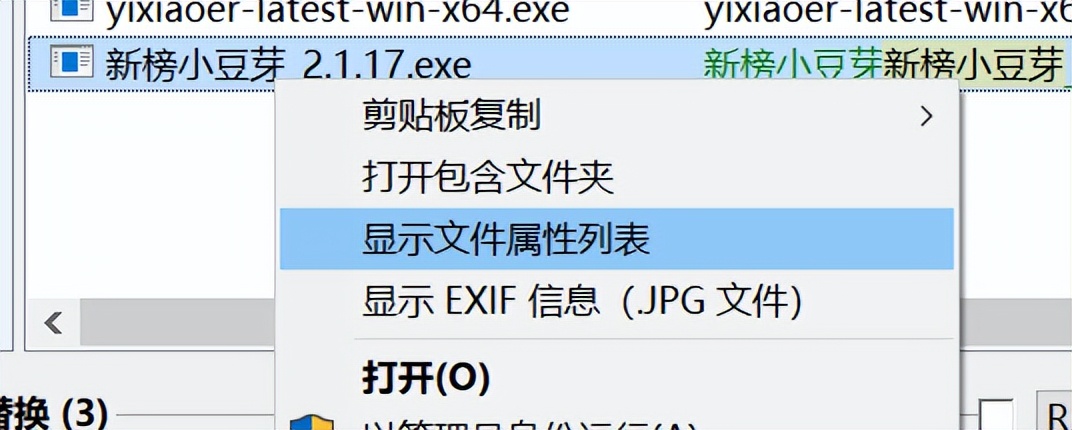
Its capabilities are more prominent in terms of program files. The software can read the internal version attributes of EXE or APK files and use this as the basis for renaming. This means that users can automatically rename a batch of software installation packages into the format of "software name_version number", which greatly facilitates version management. The custom scripts it supports and the function of saving operation combinations meet the automation needs of advanced users.
Getting started with intuitive tools
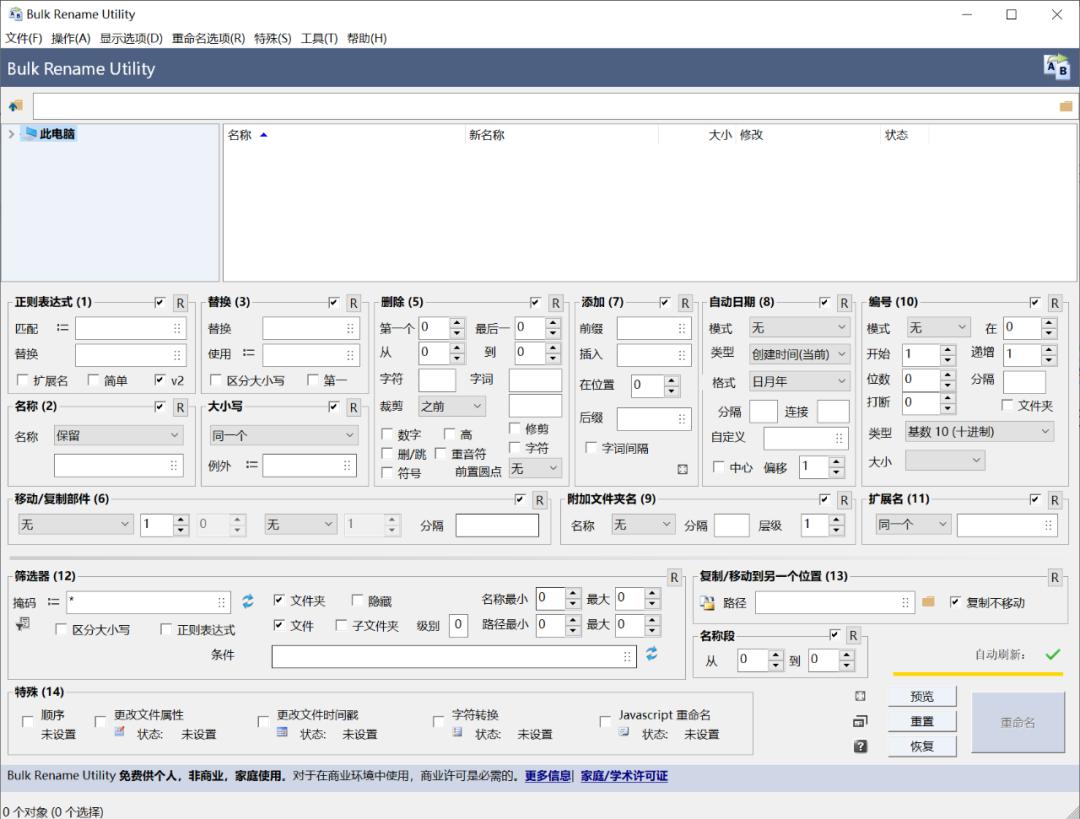
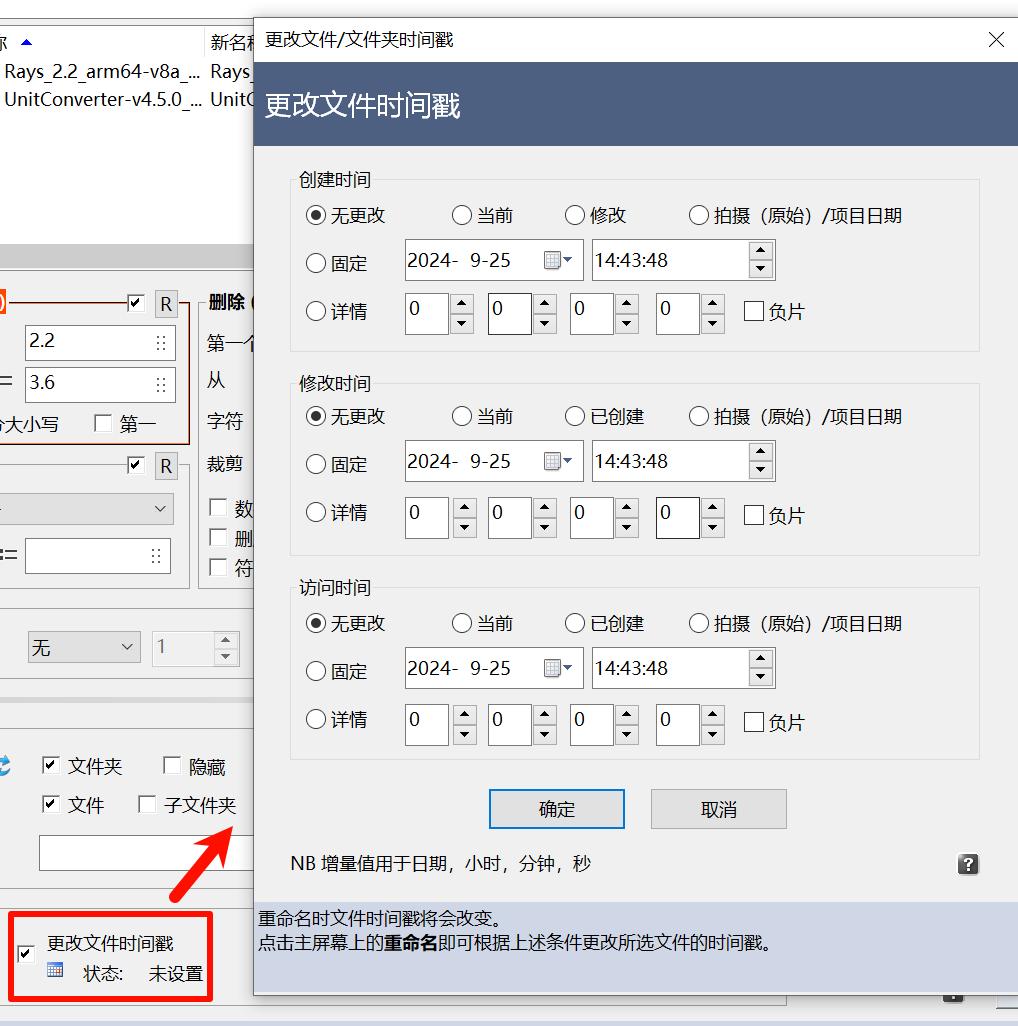
For those users who pursue simplicity and efficiency, some tools with intuitive interfaces may be more suitable. For example, Bulk Rename Utility displays its main functions on the main interface with the help of 14 clear sections. If the user wants to add a date before the file name, they only need to check the "Add Date" section and select the format.
The effects of all operations can be previewed in real time, which reduces related learning costs. Such a design enables users who are not familiar with complex rules to achieve common renaming tasks with the help of simple click combinations. The tool also provides an option to integrate the software into the system right-click menu, which facilitates quick call and thus improves the convenience in daily use.
Utilization of file attributes and metadata
The modern advanced technique for renaming relies on metadata contained within the file itself. Many files contain rich attribute information, such as the author of the document, the music album, the size and resolution of the image. Renaming tools with efficient features can extract this information and incorporate it into new file names.
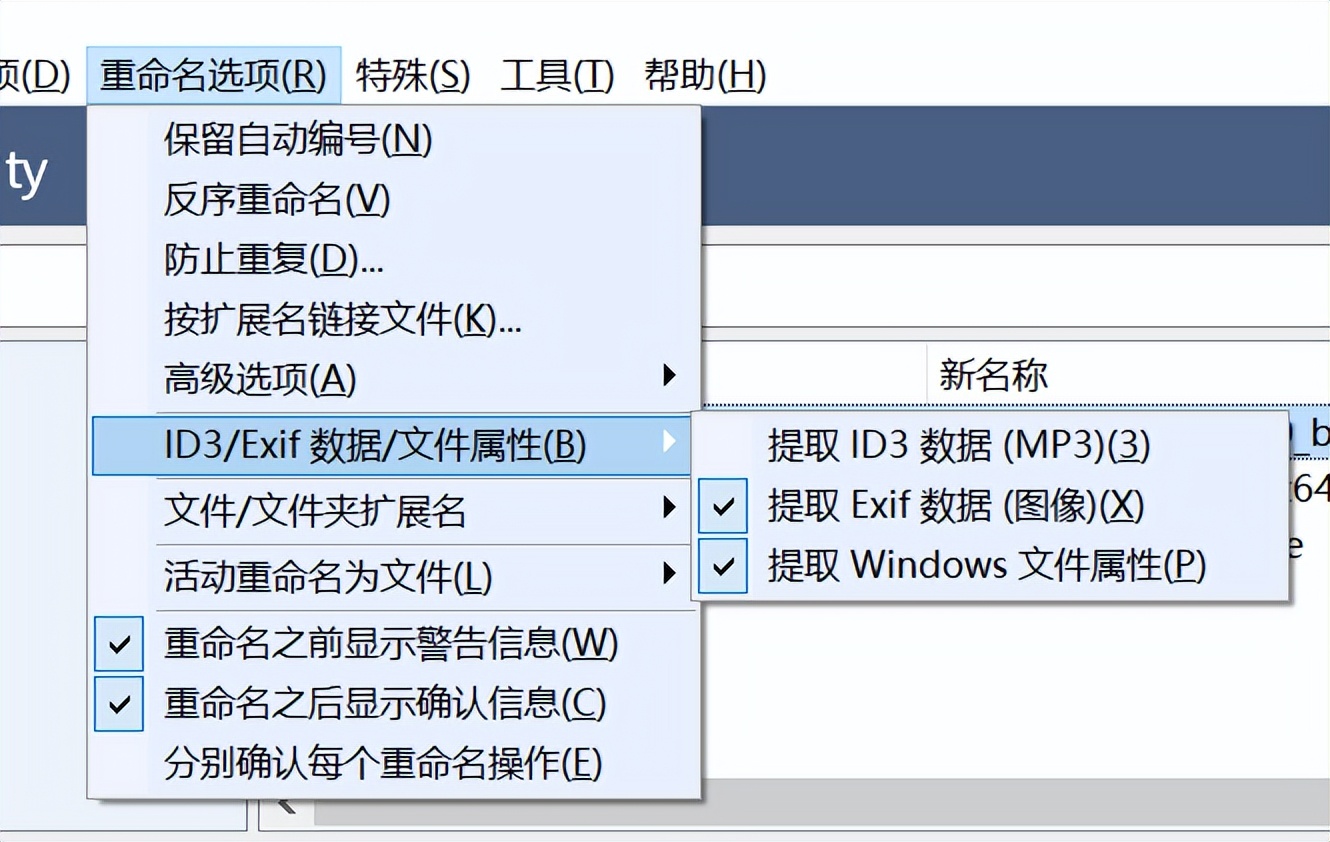
It can automatically extract "artist" and "song title" information from the properties of MP3 files and combine them into new file names, such as when processing a batch of downloaded songs. When processing meeting minutes, you can use the "Creation Date" in the Word document properties to name them uniformly. This achieves a shift from "manually naming according to content" to "letting files express themselves", and the degree of automation is higher.
Habit formation and tool selection
The tools are only auxiliary, and the core focus is to develop the habit of organizing in a timely manner. The suggestion is to complete the naming operation at the moment when the file is created or during the same day, so as to avoid a backlog. You can set simple naming rules for yourself or the team, like "name of project_date_person in charge_version number".
When selecting a tool, you should make a judgment based on your own needs. If the task is simple, the system's built-in functions or lightweight software will do. If you need to process a variety of file attributes in depth, you have to choose a professional tool with full functions. No matter which one you choose, the core goal is to build a clear and searchable file system to reduce obstacles for future work.
In daily life, are you accustomed to saving files conveniently, or do you always insist on naming them in a standardized way? Welcome to share your file management experiences and problems you have encountered in the comment area. If you find these methods useful, don’t forget to like them and share them with your colleagues and friends.