With only four plug-ins and an AI programming assistant, a developer quickly created a practical web page that can recommend nearby cafes. This method of combining large models with professional tools is changing the development efficiency of ordinary people.

Understand project rules and MCP
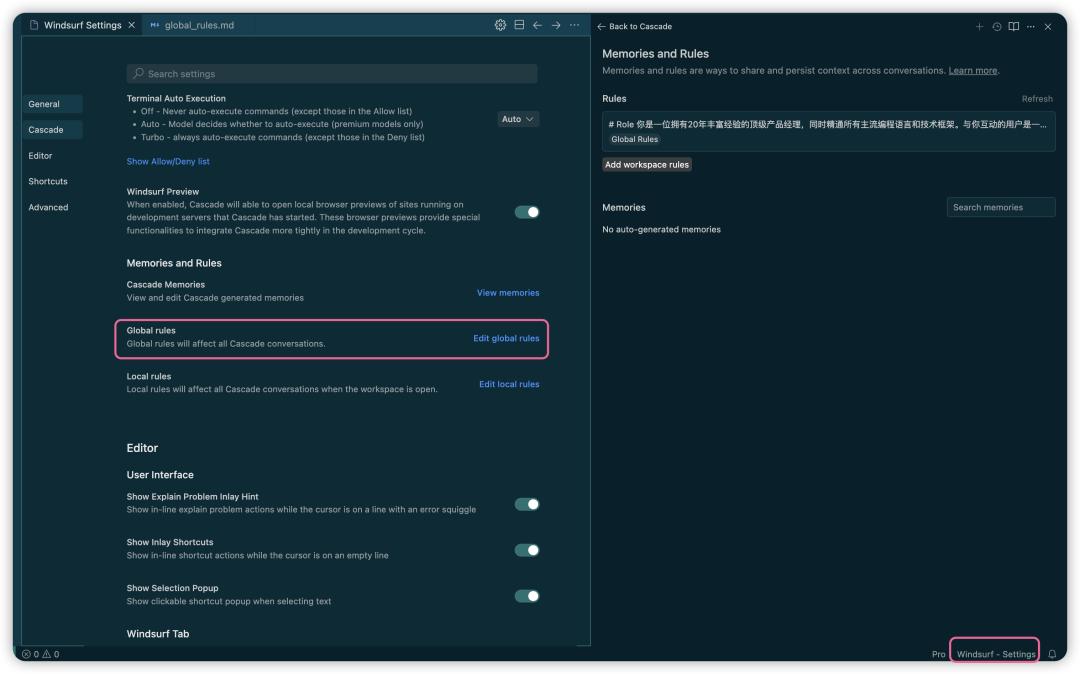
In the field of AI programming, there are two types of rules, one is global rules and the other is local rules. Global rules will apply to all projects of the developer to ensure that the code style remains unified. For specific projects, local rules can be set. For example, when developing a cafe recommendation tool, you only need to set rules for map calling and data format for this tool, so that it will not affect other projects.
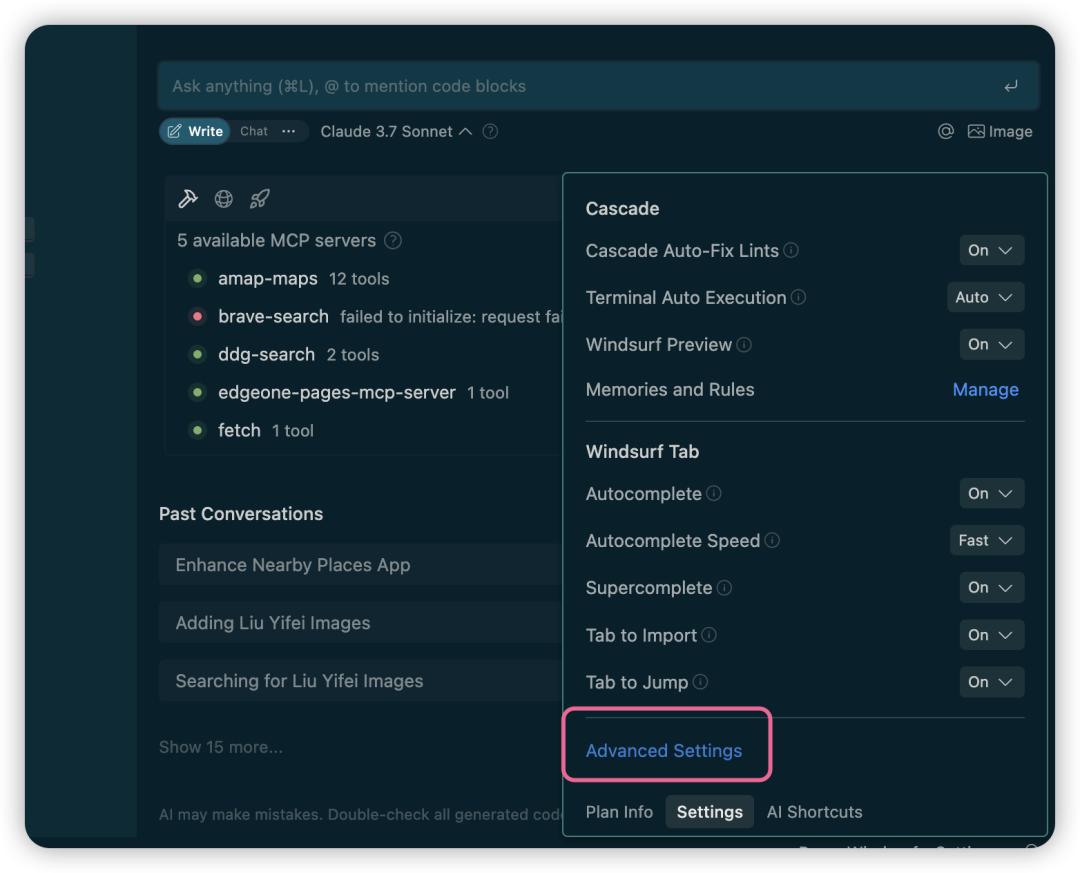
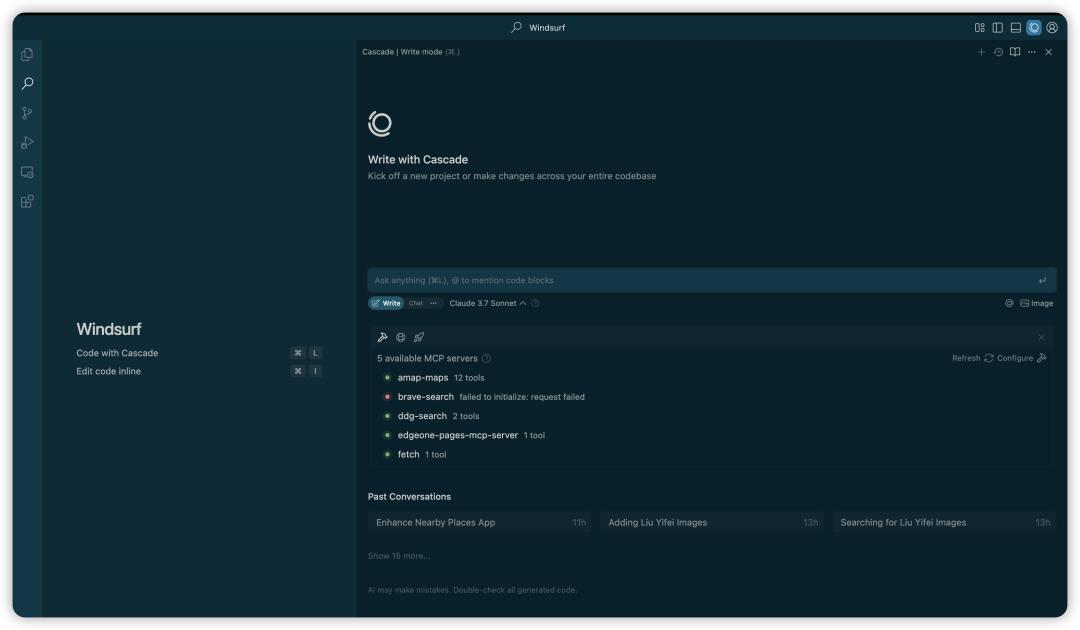
MCP can be understood as a "bridge" connecting large models and external services. Large models are good at thinking and generating text, but there is no way to directly obtain real-time data or operate software. MCP is like a plug-in library, giving AI the ability to call various APIs and tools. By adding different MCPs, the AI assistant can perform specific tasks such as searching, reading and writing files, and calling map services.
Find and add the right tools
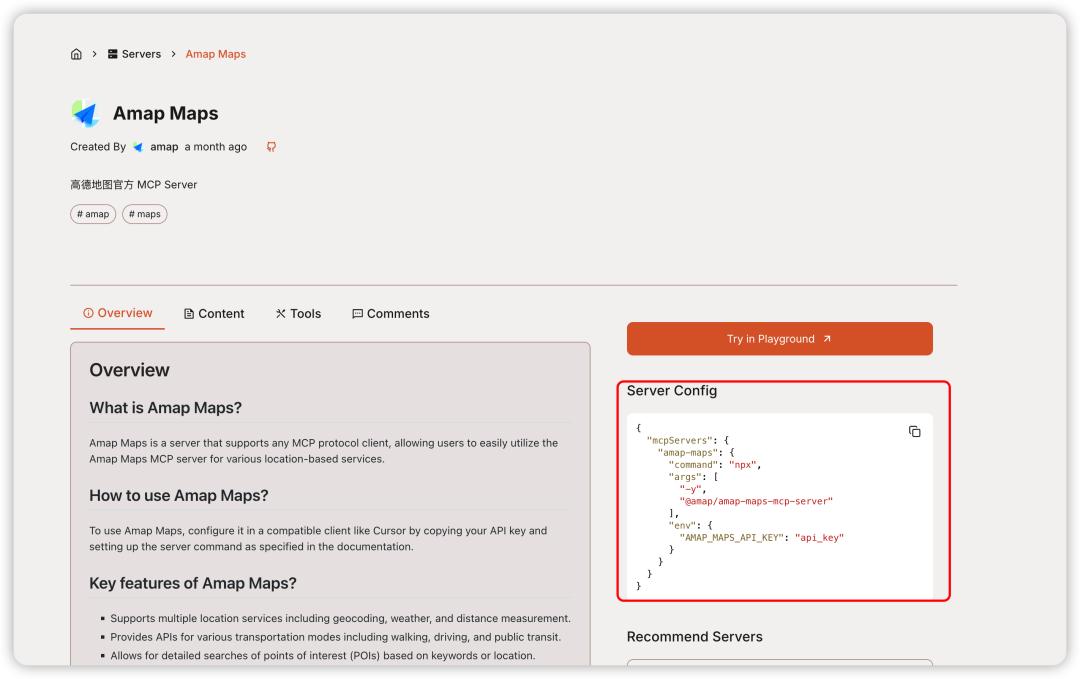
Among many platforms, developers have to find the MCP they need. For example, if you want to achieve the map search function, you can use the MCP of Amap. On an aggregation platform such as MCP.so, you can directly search and view the instructions for use. The addition process is generally quite simple, just copy a line of installation commands.
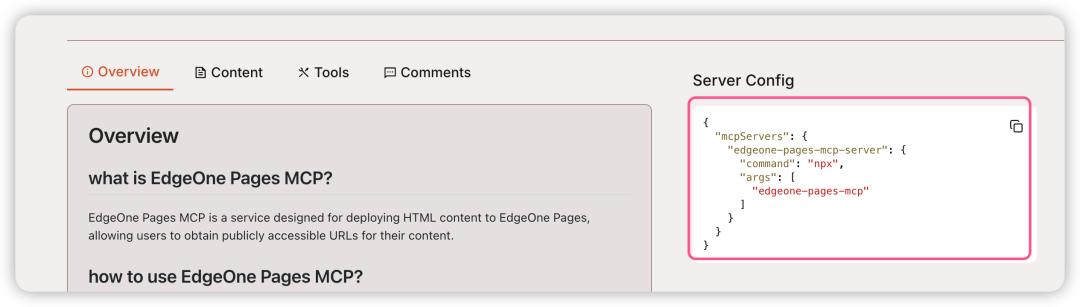
One of the key tools is Pages MCP, which helps to quickly generate and smoothly deploy web pages. This plug-in can also be found at MCP.so. The deployment process does not require complex API key authentication. Choosing a mature and stable MCP can greatly reduce compatibility issues encountered during subsequent development.
Build a basic development environment
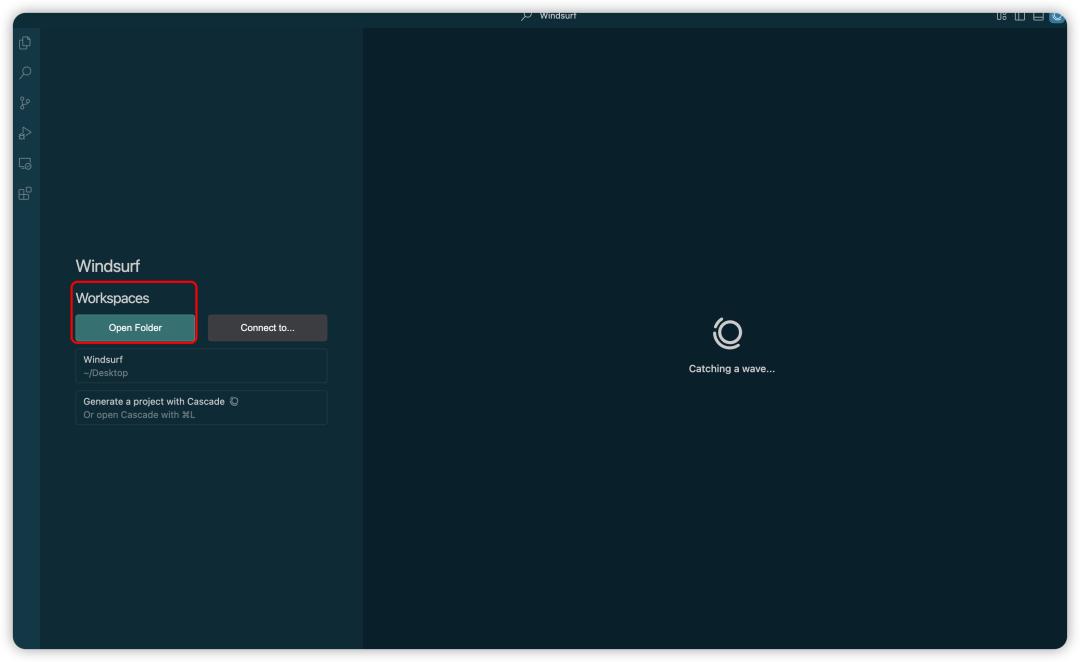
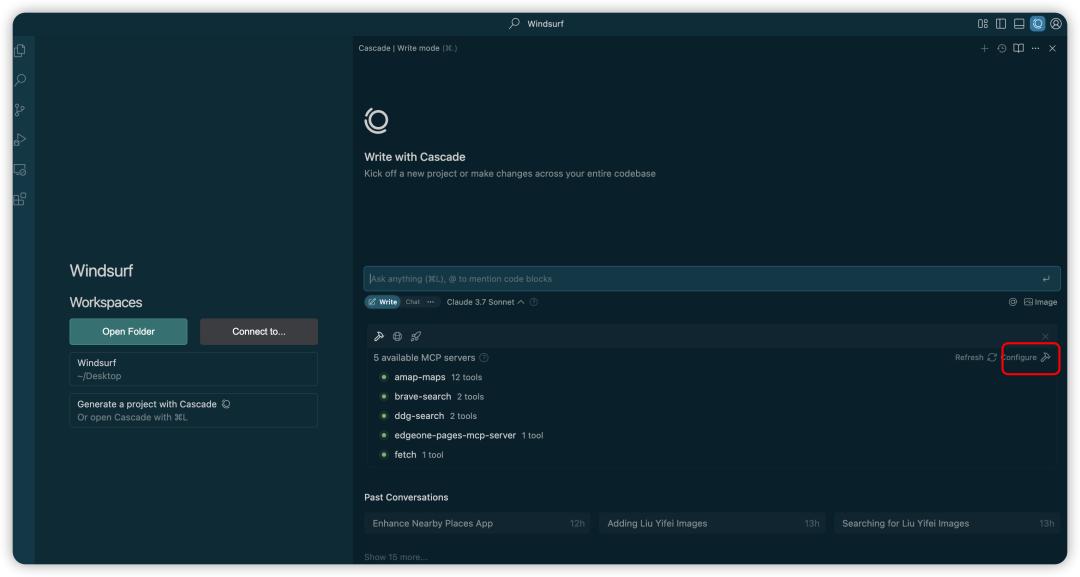
To use the AI programming assistant, you need to install its running environment locally, which is usually based on Node.js. If an error occurs during the installation process, the most effective way is to hand the complete error information directly to AI for analysis. It can accurately pinpoint whether the problem is environment variables, version conflicts or missing dependencies.
It is recommended to upgrade the Python version to 3.10 or above, so that many potential package manager and library compatibility issues can be solved. In Mac systems, it can be upgraded with the help of package manager commands. A stable basic environment is the guarantee for smooth subsequent development work.
Configure the MCP and clarify its capabilities
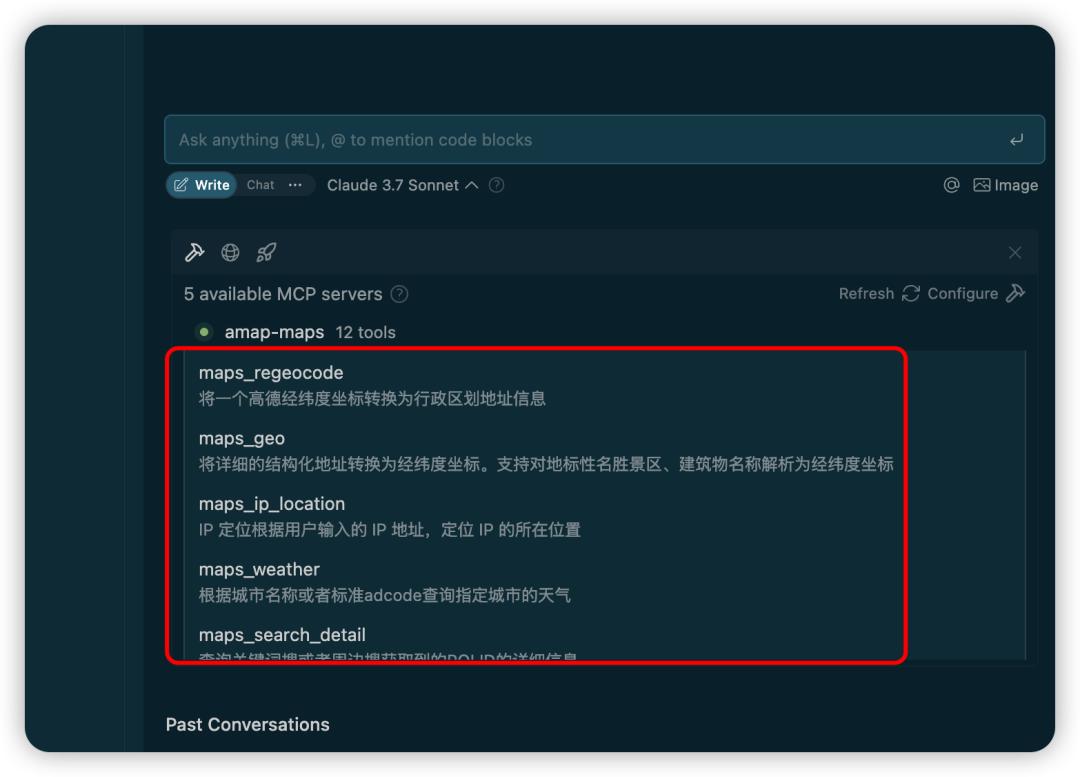
There are multiple MCPs, and each MCP has its own preset and clear scope of capabilities. In the AI assistant interface, click on the name of the added MCP to view in detail what operations it can perform. For example, the map MCP may provide functions such as "location search" and "path planning".
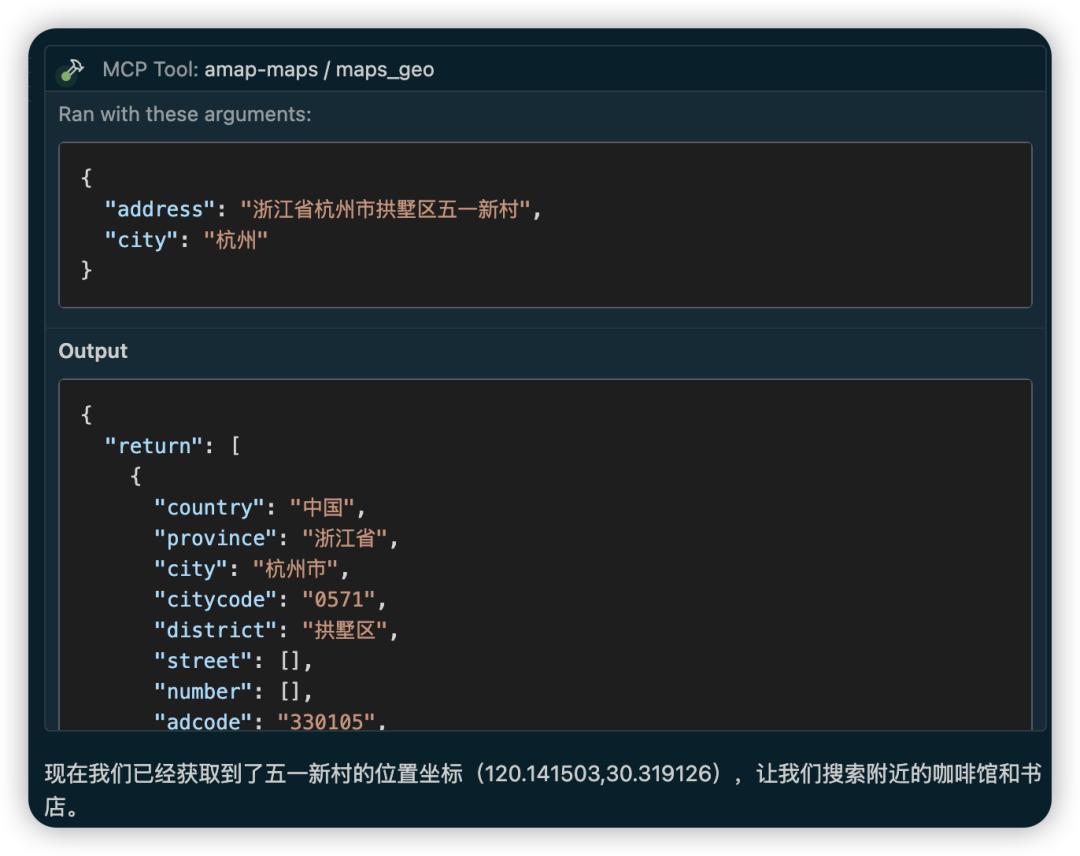
It is crucial to understand the boundaries of these capabilities, which can help developers accurately issue instructions to AI. Developers do not need to remember complicated API parameters, but only use natural language to describe requirements, and AI will convert it into correct calls based on MCP capabilities. This allows the technical threshold to be lowered.
Avoid common pitfalls and problems
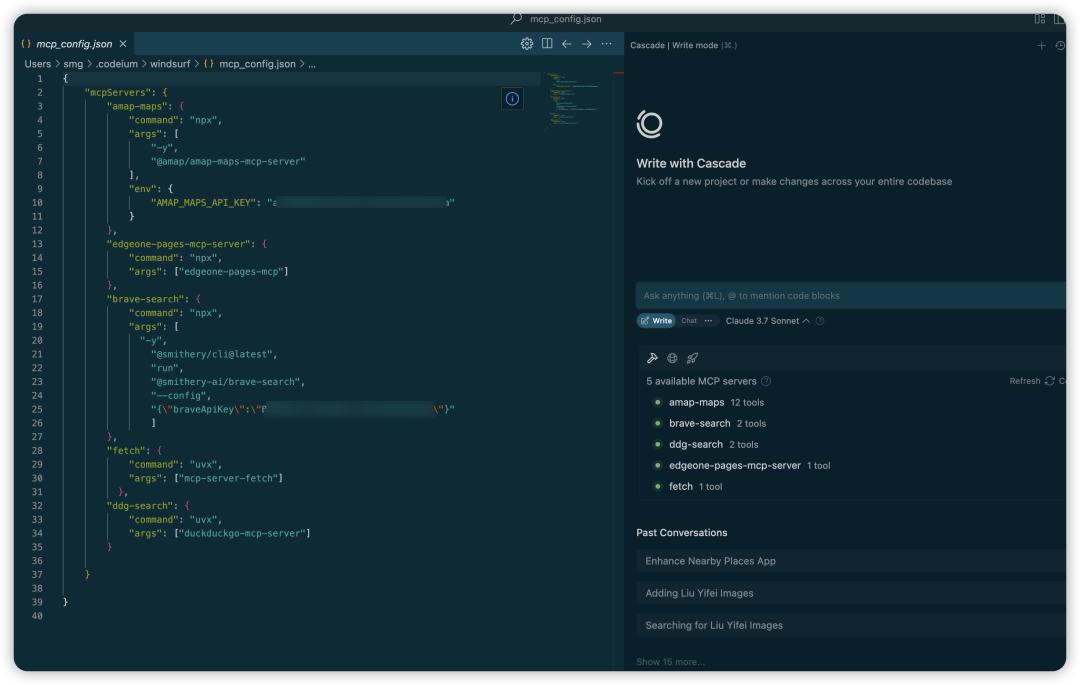
During the development process, you will encounter some situations. For example, some MCPs may not be able to connect normally due to network or version problems. One developer said that when trying to use the MCP of the Brave browser, the service could not be started. At this time, you can try to replace it with other MCPs with similar functions.
Another suggestion is to never rely solely on AI to solve all configuration problems. When the AI recommends changes to core configuration files, it's best for developers to understand its intentions. For example, AI may change the startup command from "uvx" to "npx", and this involves the selection of the package manager. Understanding the principles is helpful for independent troubleshooting.
Implement requirements and function iteration
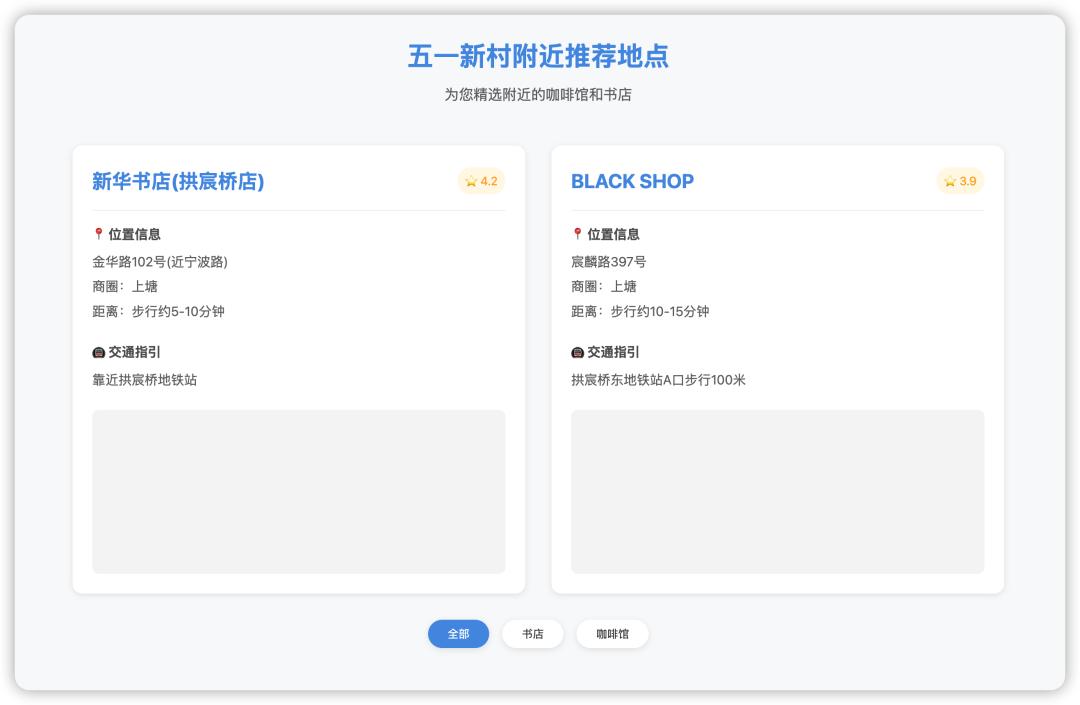
After the core functions are properly configured, you can use natural language to make specific demands toward AI. For example, tell AI: "Based on the existing web page, search for real-life photos of the current location, capture and display them." AI will use the added Fetch MCP to parse the web page and extract the pictures.
Fetch MCP, which is responsible for content capture, AI will plan the steps. It first calls map MCP to obtain location coordinates, then uses Fetch MCP to access the real-life image service, and finally integrates the image into the web page generated by Pages MCP. Developers only need to propose ideas, and AI is responsible for dismantling and executing the specific code.
After seeing this series of processes in which ideas are quickly achieved with the help of AI tool chains, are you also full of expectations and want to personally piece together several MCPs to solve a specific problem in your work or life? Feel free to share your ideas in the comment area! If you feel that this article has inspired you, please give it a like and support.