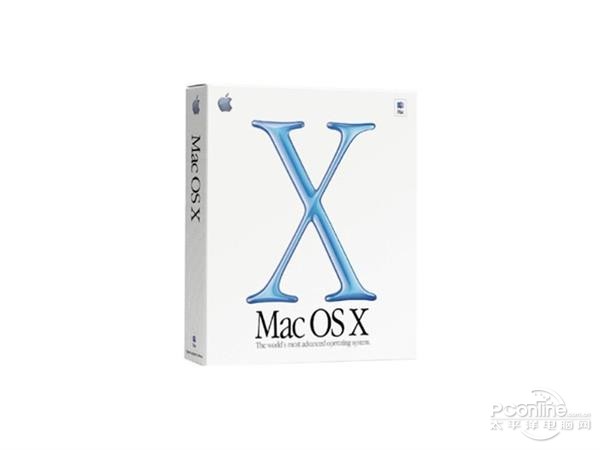
In July 2011, Apple officially released the Mac OS X Lion system, which relied entirely on the App Store for digital distribution. This change in the sales model triggered widespread discussion at that time.
How to obtain and install
This upgrade relies entirely on the Mac App Store, and users cannot purchase physical discs as in the past. This means that all users must purchase and download through Apple's official store. This has caused some inconvenience for users with unstable network environments or who are accustomed to using physical media.
The system is required to run Intel Core 2 Duo or higher processors, and the latest version of the Snow Leopard system must be installed in advance. The entire download and installation process takes about half an hour. The installation interface provides clear operating instructions. Users only need to follow the prompts and click to continue to complete.

Launchpad app launcher

A new feature introduced by the Lion system is Launchpad, which brings the application icon grid layout on iOS devices to the Mac desktop. Users can quickly open it through gestures or clicking on the Dock bar icon. The purpose of this design is to unify the user experience between different Apple devices.
For those users who have switched from iOS devices to Mac, this interface looks very familiar. It can automatically display all installed applications, and users can use drag and drop to organize icons or create folders, making it easy to quickly find and launch commonly used software.

Full screen application mode
The full-screen mode, which occupies the entire screen space, removes the interference of the menu bar and the Dock. It can provide a more focused working environment when processing documents. This can be done when browsing the web, and the same can be done when using professional software. Users need to switch this mode through the green button in the upper left corner of the window, or a specific gesture.
Not all applications can perfectly adapt to this feature. Some older versions of software may have misaligned interfaces or missing functions when running in full screen, forcing developers to update their applications to take full advantage of the new system's features.
Mission Control Mission Management
Mission Control, which integrates the original Exposé, Spaces and Dashboard functions, provides a task management view that presents a unified status. Users can quickly call it up with touchpad gestures or keyboard shortcuts. All running windows on the screen will be displayed in a tiled manner, which facilitates users to quickly switch.
At the bottom of the view, users can manage multiple desktop spaces. Different applications can be assigned to different desktops, such as placing work software in Space 1 and entertainment applications in Space 2. In this way, the organization and efficiency of multitasking are effectively improved.
Reverse scrolling and gestures
Lion changes the traditional scrolling direction, and the gestures on the touchpad are consistent with the movement direction of the content, simulating the direct operation feeling of the touch screen. This change initially made many elderly users feel uncomfortable, and it took a period of time to get used to the new interaction logic.
The system has increased support for multi-touch gestures. For example, three-finger swiping can be used to switch between full-screen applications, and Launchpad can be opened based on four-finger pinching. Such gestures significantly improve navigation efficiency and reduce users' reliance on the mouse.

Versioning and data protection
The system is equipped with automatic saving and version functions. The application will save the work performed by the user according to a set cycle, and then create a historical version. The user can use an interface similar to a "time machine" to browse past versions of the document and restore specific content to the current file.
This feature effectively prevents data loss caused by program crashes or misoperations. However, it also raises new storage space management issues. Users must regularly clean up old files that are no longer needed to avoid taking up too much disk space.
Do you think that relying entirely on online stores and canceling the physical CD-ROM software distribution method is an improvement for core software such as operating systems, or does it bring a new threshold for use? Welcome to share your opinions in the comment area. If you find this article helpful, please like it to support it.