
For computer users, it is common to encounter a strange ".bin" file from time to time. What is it, can it be opened directly using Notepad, and whether there is a virus hidden in it. Questions such as this often cause people to not know how to deal with it.
The nature of files and the limitations of direct viewing
BIN files, fundamentally speaking, are binary files that can be directly recognized and executed by the computer's CPU. The content they store is the lowest-level machine code. This characteristic allows it to carry an extremely diverse range of data, whether it is programs, game resources, or complete images of optical discs.
Therefore, using the Notepad that comes with Windows to open a typical BIN file is generally ineffective. Notepad is designed to handle text encoding. If you forcibly open a binary file, it will only display a lot of garbled characters and strange symbols. These contents are basically impossible for humans to understand and cannot provide useful information.
Try it with a professional text editor
Notepad does not have corresponding functions. However, a class of more powerful text editors provides another possibility. Editors like Notepad++ support multiple encoding methods and can try to parse binary data. After the opening operation, the interface may be mixed with garbled characters.
However, under certain circumstances, if the BIN file happens to contain some text information that can be read (such as configuration strings or logs inside the software), you may be able to capture some clues through this method. This is more akin to an investigative method than a standard viewing method.
Run directly using associated software
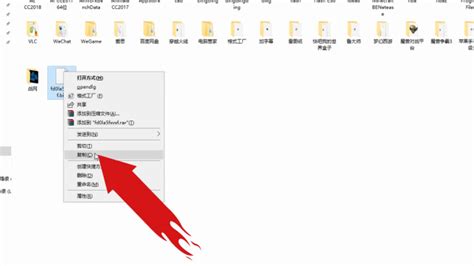
Many BIN files do not exist alone, but are components of specific applications. For example, the installation packages or data packages of some old-fashioned games use the BIN format. The easiest and most direct way is to find the main program associated with it.
If the file belongs to a software installer, simply double-clicking it to run it is usually the appropriate behavior. The system will call the corresponding adapted installation boot program. If the user only needs to follow the prompts given on the screen to complete the installation. The key point is to identify the source and purpose of the file.
Use disc and image tools
When BIN files often exist in a disc image format, in this case, using a specialized image tool is the best choice. For example, software like UltraISO can directly load and open the BIN file, allowing users to access the content contained in it as they normally browse a disc folder.
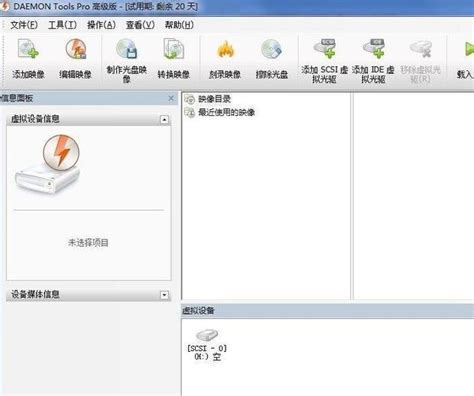
If the tool gives a prompt of "Does not belong to ISO file or is in an unrecognized format", it most likely indicates that the BIN file is not a standard disc image. Similarly, virtual optical drive software such as Daemon Tools and Alcohol 120% can also mount BIN files and simulate a new optical drive letter in the system.
Use binary editing tools to parse
If you plan to view or edit the original content of the BIN file in depth, you must use a hex editor. Professional tools like Hex Workshop or WinHex can display binary data side by side as hexadecimal values and their corresponding ASCII characters.
This is critical for developers to analyze file structures and fix file errors, for security researchers, and for advanced users. With it, users can accurately see every byte of data in the file, which is the most fundamental way to understand its essence.
Security Precautions and Format Conversion
When dealing with BIN files, you must be aware of security risks. BIN files from unknown sources may be bundled with malware. Before opening it, use anti-virus software to scan it. This is a necessary safety measure. In addition, some BIN files require a matching CUE description file so that they can be accurately recognized by CD tools.
If you just want to extract data from it, you can consider using a conversion tool to convert it into a more common format. As shown or represented by ISO, there are many free tools on the Internet that can achieve this type of conversion. For BIN files in system image types, they can also be directly loaded and run in virtual machine environments such as VMware.
In your daily use of computers, have you ever encountered a file in a special format that cannot be opened, and what unique methods were used to solve it? You are welcome to share your experiences and tips in the comment area. If you think this article is useful, please give it a thumbs up.