
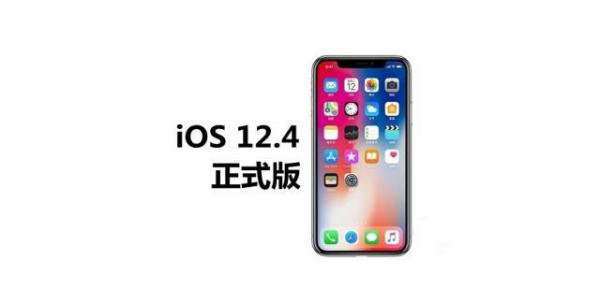
At the end of July 2019, time has passed. Apple has significantly accelerated its pace in software updates, and iOS systems are frequently recommended. This has become a hot topic in the technology field. Especially during the period of alternation between old and new systems, whether users should upgrade has become a key point that many iPhone owners are struggling with.
Intensive rhythm of system updates

Entering the summer of 2019, Apple changed its previous order and launched multiple system versions in a short period of time. In the last week of July, the official version of iOS 12.4 was launched to users around the world. At the same time, updates to macOS, watchOS and other systems are also coming. This centralized release format surprises many users who are accustomed to Apple's stable update cycle.
For ordinary users, frequent update reminders can occasionally cause trouble. They have to choose between stability and trying out new features. Especially those users with older devices are more worried that the new system will cause their phones to slow down. This update strategy actually reflects Apple’s overall thinking of accelerating iteration on software services.
Practicality of data migration function
There is a new feature in iOS 12.4 that is very important to users. What is it? It is data migration between devices. Users can quickly transfer data by simply bringing the old and new iPhones close to each other and following the prompts on the screen. This process does not need to rely on a computer or iCloud backup. It is completed directly between devices and wirelessly.
This feature focuses on solving the numerous problems that users face when replacing new iPhones. In the past, users relied on computer backup and restoration, or waited for iCloud downloads. The entire process took a long time. The new method greatly reduces the time required for replacement and reduces the complexity of the operation. From Apple's perspective, a smooth replacement experience can also indirectly encourage users to replace new iPhones.
Signal and baseband firmware optimization
On the occasion of this update, the modem firmware version has been upgraded. Some users have reported that after upgrading to iOS 12.4, the performance of the mobile phone’s cellular network signal has improved. This improvement is mainly reflected in the signal strength indicator becoming more stable, and in some areas with weak signal, the network connection ability is slightly improved.
Baseband firmware updates generally involve antenna adjustments and optimization of network search algorithms. Although such improvements may not have a significant effect on every model, it at least shows that Apple has been continuously improving the performance of cellular communications. This is undoubtedly a positive signal for those users who have suffered from signal problems before, and it also reflects Apple's response to user feedback.
Battery life and battery management
According to the actual feedback given by many users, after installing iOS 12.4, the battery life of the mobile phone has been extended to a certain extent. A large number of users have noticed that under the same usage habits, the time between charging of their devices has become longer. This improvement may be due to optimization results in system background process management.
Every time Apple updates the system, it will make subtle adjustments to the power management strategy. iOS 12.4 is very likely to implement further optimization measures in power consumption-related aspects such as application wake-up and location services. Although the experience of different models and devices with different battery health conditions will be different, generally speaking, users tend to show a positive trend in their evaluation of battery life after this update.
Existing issues and small-scale bugs
Although it is an official version, iOS 12.4 still has some minor problems. Some iPhone XR users have encountered occasional network connection interruptions, which is what everyone calls "disconnection." In addition, a small number of users have reported that the voice dictation button of the system's built-in input method occasionally disappears.
These problems are not widespread and only affect a small number of users of specific models. Compared with previous versions, the overall stability of iOS 12.4 is at a higher level. These minor flaws are expected to be fixed in subsequent incremental updates and will not affect the daily use experience of most users.
Upgrade recommendations and version outlook
For those users who are pursuing system stability, especially those using older models, upgrading to iOS 12.4 is a safe choice, because iOS 12.4 is likely to be the last important update of the iOS 12 system. Given that Apple’s software development focus has shifted to iOS 13, this version can be regarded as the stable end of the iOS 12 cycle.
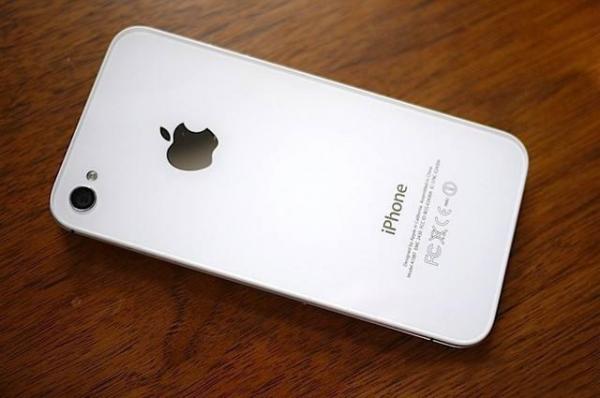
It is recommended that users use a computer or iCloud to completely back up important data before upgrading. Although the OTA upgrade process is generally quite safe, backup can prevent data loss due to unexpected situations. For extremely old devices such as iPhone 4s, although they are still on the support list, the actual upgrade value needs to be carefully weighed by users based on their own circumstances.
As iOS 13 approaches, will you choose to upgrade your device to the so-called "final version" of iOS 12.4, or will you choose to wait and then directly upgrade to a new system? Welcome to share your own opinions and actual experience after upgrading in the comment area.

