
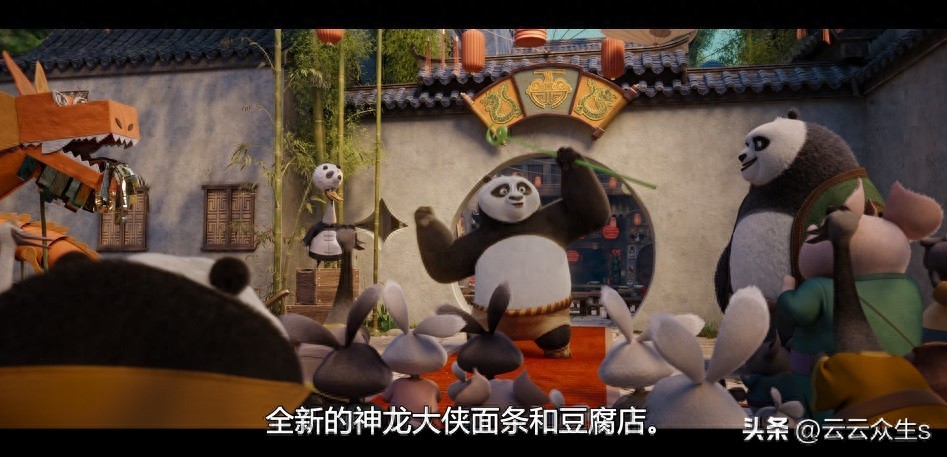

By applying high-end IT skills to life, you can occasionally solve unexpected problems, such as adding accurate Chinese subtitles to your favorite movies.
Why you need to do it yourself
Most online streaming platforms provide ready-made subtitles, but this is not the case for locally stored 4K original movies. These movie files often come with multi-national subtitles, but the Chinese version may be missing, or the translation may be stiff and full of traces of machine translation. Relying on NAS's own software or community plug-ins to download subtitles is often limited due to unpopular film sources or untimely updates, making it difficult to obtain satisfactory results.
[tool.poetry]
name = "upbox"
version = "0.1.0"
description = ""
authors = ["rocksun "]
readme = "README.md"
[tool.poetry.dependencies]
python = "^3.10"
ffmpeg-python = "^0.2.0"
llama-index = "^0.10.25"
llama-index-llms-gemini = "^0.1.6"
pysubs2 = "^1.6.1"
# yt-dlp = "^2024.4.9"
# typer = "^0.12.3"
# faster-whisper = "^1.0.1"
[build-system]
requires = ["poetry-core"]
build-backend = "poetry.core.masonry.api"
The cornerstone of automation solutions
The key to automating operations is to combine multiple tools. First, the original English subtitle track must be accurately extracted from the video file, which is related to the processing of multimedia container formats. Then, the extracted text is delivered to AI for translation, and the translation is finally reassembled into a standard subtitle format based on the timeline. Each step requires a specific library or command line tool to achieve.
ffmpeg -i my_file.mkv outfile.vttSubtitle extraction challenges
Extracting subtitles directly from the video does not always go smoothly. The video file may contain multiple subtitle tracks, such as commentary track subtitles, director's narration subtitles, etc. Automated tools may misidentify and extract subtitles that are not dialogue. Therefore, after extraction, you need to manually confirm it, or use program logic to filter out the correct and important dialogue subtitle tracks. This is the first step to ensure the quality of subsequent translations.
def _guess_eng_subtitle_index(video_path):
    probe = ffmpeg.probe(video_path)
    streams = probe['streams']
    for index, stream in enumerate(streams):
        if stream.get('codec_type') == 'subtitle' and stream.get('tags', {}).get('language') == 'eng':
            return index
    for index, stream in enumerate(streams):
        if stream['codec_type'] == 'subtitle' and stream.get('tags', {}).get('title', "").lower().find("english")!=-1 :
            return index
    return -1
def _extract_subtitle_by_index(video_path, output_path, index):
    return ffmpeg.input(video_path).output(output_path, map='0:'+str(index)).run()
def extract_subtitle(video_path, en_subtitle_path):
    # get the streams from video with ffprobe
    index = _guess_eng_subtitle_index(video_path)
    if index == -1:
        return -1

    return _extract_subtitle_by_index(video_path, en_subtitle_path, index)
AI translation processing skills
It is not feasible to directly throw large sections of subtitle text to the AI model. First, the style tags contained in the subtitles, such as fonts and color codes, will interfere with the model's understanding. Secondly, the amount of a single movie subtitle text may exceed the context length of the model's single processing. It is necessary to clean the text first, remove irrelevant tags, and then cut the long text into suitable fragments according to semantics or length, and perform translation processing in batches.
class UpSubs:
    def __init__(self, subs_path):
        self.subs = pysubs2.load(subs_path)
    def get_subtitle_text(self):
        text = ""
        for sub in self.subs:
            text += sub.text + "nn"
        return text
    def get_subtitle_text_with_index(self):
        text = ""
        for i, sub in enumerate(self.subs):
            text += "chunk-"+str(i) + ":n" + sub.text.replace("\N", " ") + "nn"
        return text

    def save(self, output_path):
        self.subs.save(output_path)
    def clean(self):
        indexes = []
        for i, sub in enumerate(self.subs):
            # remove xml tag and line change in sub text
            sub.text = re.sub(r"]+>", "", sub.text)
            sub.text = sub.text.replace("\N", " ")
    def fill(self, text):
        text = text.strip()
        pattern = r"ns*n"
        paragraphs = re.split(pattern, text)
        for para in paragraphs:
            try:
                firtline = para.split("n")[0]
                countstr = firtline[6:len(firtline)-1]
                # print(countstr)
                index = int(countstr)
                p = "n".join(para.split("n")[1:])
                self.subs[index].text = p
            except Exception as e:
                print(f"Error merge paragraph : n {para} n with exception: n {e}")
                raise(e)

    def merge_dual(self, subspath):
        second_subs = pysubs2.load(subspath)
        merged_subs = SSAFile()
        if len(self.subs.events) == len(second_subs.events):
            for i, first_event in enumerate(self.subs.events):
                second_event = second_subs[i]
                if first_event.text == second_event.text:
                    merged_event = SSAEvent(first_event.start, first_event.end, first_event.text)
                else:
                    merged_event = SSAEvent(first_event.start, first_event.end, first_event.text + 'n' + second_event.text)
                merged_subs.append(merged_event)
            return merged_subs

        return None
Subtitle reorganization and timeline synchronization
After translating and obtaining the plain text, the more critical step is to accurately fill them back into the timeline of the original subtitles. For each line of English dialogue, there are precise and detailed start and end timestamps. The translated Chinese must strictly correspond to the original time point, so as to ensure that the audio and video are well synchronized during the movie viewing. The prerequisite for this is that the program can track the original sequence number and time code of each subtitle. During the entire cleaning and cutting process, these core metadata must not be lost to cover the elements within the scope of the metadata.
12
00:02:30,776 --> 00:02:34,780
Not even the great Dragon Warrior.
13
00:02:43,830 --> 00:02:45,749
Oh, where is Po?
14
00:02:45,749 --> 00:02:48,502
He was supposed to be here hours ago.
Practical results and continuous improvement
chunk-12
Not even the great Dragon Warrior.
chunk-13
Oh, where is Po?
chunk-14
He was supposed to be here hours ago.
In actual related tests, for example, when processing subtitles like "Kung Fu Panda 4", artificial intelligence can produce translated content that is consistent with daily speaking habits and even has some playful meanings based on simple dialogue context. The final effect often makes people feel that it brings surprises. However, when faced with original subtitles that are of poor quality and have chaotic word order, the final translation result will also be significantly degraded. This puts forward a requirement for the solution, that is, the solution must have certain mechanisms for error handling and retry, and it must be iteratively optimized during uninterrupted use.
Have you ever tried to use your professional skills to deal with the little troubles in life? Are there any interesting automation projects that can be shared? We sincerely invite all kinds of exchanges and discussions in this comment area. If you think it is really of practical value, don't forget to like it and share it.
def complete(prompt, max_tokens=32760):
    prompt = prompt.strip()
    if not prompt:
        return ""

    safety_settings = [
        {
            "category": "HARM_CATEGORY_HARASSMENT",
            "threshold": "BLOCK_NONE"
        },
        {
            "category": "HARM_CATEGORY_HATE_SPEECH",
            "threshold": "BLOCK_NONE"
        },
        {
            "category": "HARM_CATEGORY_SEXUALLY_EXPLICIT",
            "threshold": "BLOCK_NONE"
        },
        {
            "category": "HARM_CATEGORY_DANGEROUS_CONTENT",
            "threshold": "BLOCK_NONE"
        },
    ]
    retries = 3
    for _ in range(retries):
        try:
            return Gemini(max_tokens=max_tokens, safety_settings=safety_settings, temperature = 0.01).complete(prompt).text
        except Exception as e:
            print(f"Error completing prompt: {prompt} n with error: n ")
            traceback.print_exc()
    return ""
