
In the digital age, many users are troubled by the scattered resources of different network disks. It has become difficult to manage them in a unified manner. However, there is a tool that has quietly changed this situation. It is called Alist and it is open source. It provides users with a solution to integrate many storage services. This is a more convenient approach, full stop!
Alist’s basic functions
The key role of Alist is to achieve integrated management of multiple storage services. It can integrate more than 20 major domestic and foreign network disks such as Alibaba Cloud Disk, Baidu Cloud Disk, and Google Drive, as well as folders on local computers into a unified interface. This means that users do not need to repeatedly switch between multiple applications or web pages, and can browse and operate all mounted storage contents through one entrance.
This tool is developed with the help of Web technology and provides a web interface similar to a file manager. After the user logs in, he can perform basic operations such as viewing, copying, and moving the mounted network disk files just like operating a local disk. The biggest advantage of this design is that it greatly simplifies the complexity of cross-platform file management, which is especially suitable for users who need to frequently transfer data between multiple cloud storages.
Supported devices and platforms
Alist has significant flexibility in deployment and is compatible with various types of hardware devices. It can not only be installed on a variety of mainstream computer operating systems, such as Windows, macOS, Linux, etc., but can also be deployed in home NAS corresponding to brands such as Synology and QNAP. For those technology enthusiasts, it can even be flashed into a smart router loaded with the OpenWRT system, thereby creating a private cloud storage gateway with low power consumption.
It should be noted that it also has the feature of supporting running on Android phones or TV boxes. This allows any old Android phone with decent performance to be transformed into a lightweight, 24/7 online Alist server. The hardware cost of this solution is almost zero, making full use of idle resources and reducing the experience threshold for entry-level users.
Application in entertainment scenarios
For ordinary home users, a very attractive use of Alist is to create a private film and television library. Users can mount movies and TV series resources stored in different network disks to Alist, and then install players such as Infuse, Kodi, nPlayer, etc. that support WebDAV or Alist protocols on their mobile phones, tablets, or smart TVs.
As long as the player adds the Alist server address, it can directly and smoothly play the video files in the network disk without having to wait for a long time to download. This is equivalent to building a private online streaming service. Its resources come from the user's own collection or publicly shared network disk resources. The user experience is convenient and the content is controllable.
Installation and deployment challenges
Even though Alist has powerful functions, its deployment process poses certain technical challenges for novices. Installation on a NAS or router generally requires certain command line operations and network knowledge. Routers of different brands have different firmware flashes. Improper operation may cause the device to become "bricked", which is risky.
In order to obtain the best experience, generally speaking, a device that can run continuously 24 hours a day is required as a server. Although a dedicated NAS is the best option, not everyone is willing to bear its purchase cost. Therefore, finding a stable, low-power and economical alternative has become the core need of many entry-level users.
Deployment advantages of Android phones
Use an idle Android phone to install Alist, which is an extremely cost-effective entry-level solution. The old mobile phone itself is ready-made hardware and does not require additional expenditure of money. The Android system is relatively open. The installation process can be completed by executing a few commands using a terminal emulator application. Under normal circumstances, there is no need to obtain Root permissions, which reduces the risks and complexity of the operation.
When a mobile phone is used as a server, its power consumption is much lower than that of a computer and it can run without power for a long time. As long as the mobile phone and the playback device, such as a TV or tablet, are in the same Wi-Fi network, that is, within the local area network, they can access it normally. This perfectly solves the problem of "requiring an always-on server", allowing every family to easily set up their own media center.
Specific installation and configuration steps
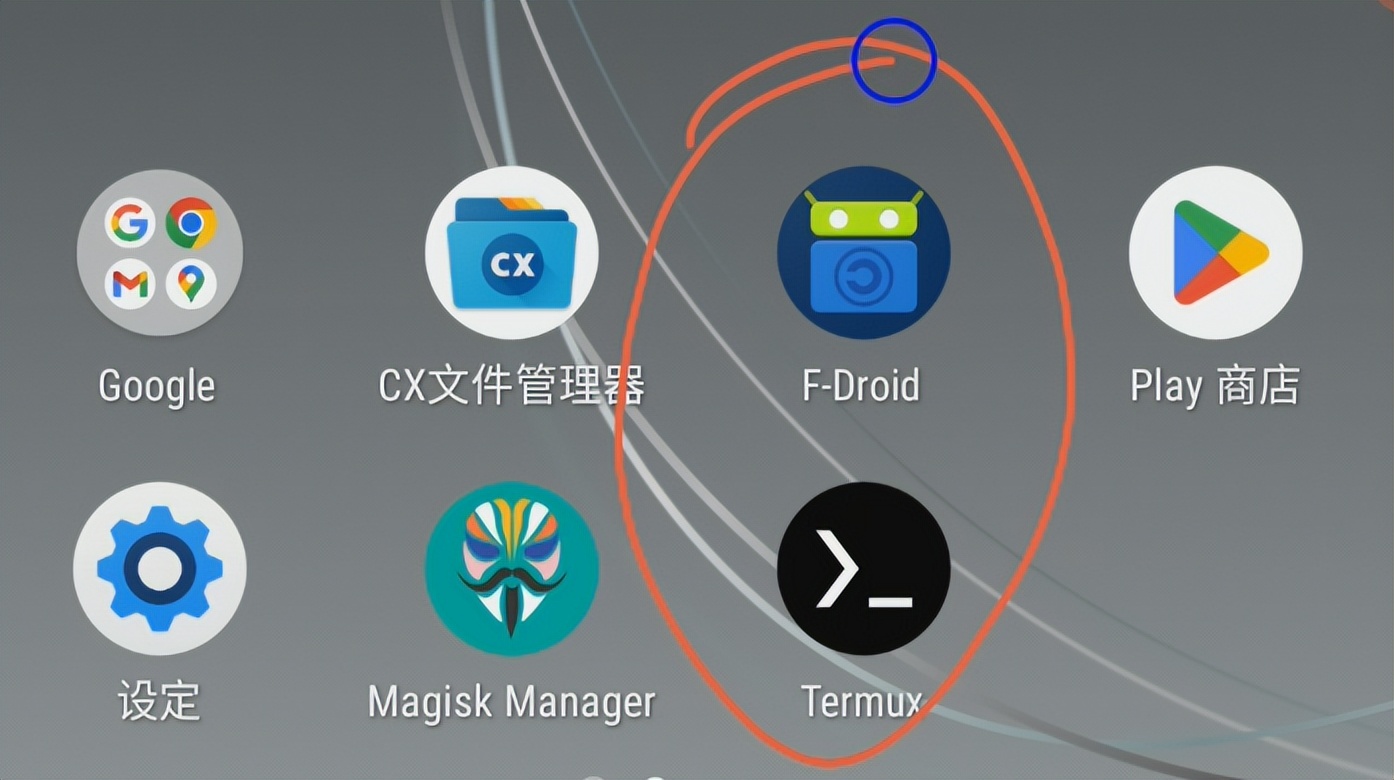
The preparatory work involves installing an idle Android phone with a terminal tool such as Termux from the F-Droid app store, and giving the application permission to run in the background to avoid being cleaned up by the system. During the installation operation, use the package manager in Termux to execute the installation instructions. After starting the service, the program will generate the initial administrator password.
The configuration process is completed on the web page. You can log in to the Alist management backend by entering "Mobile IP address: 5244" in the computer browser. The first task is to change the default password to ensure security. After that, add various network disks on the "Storage" page. Generally speaking, you need to provide the corresponding token or key. This information can be obtained from the developer platform of each network disk official website.
Have you ever tried to use old mobile phones or other idle devices to build similar home services? You are welcome to tell us your experiences and thoughts in the comment area. If you find this article helpful, please like it to support it.