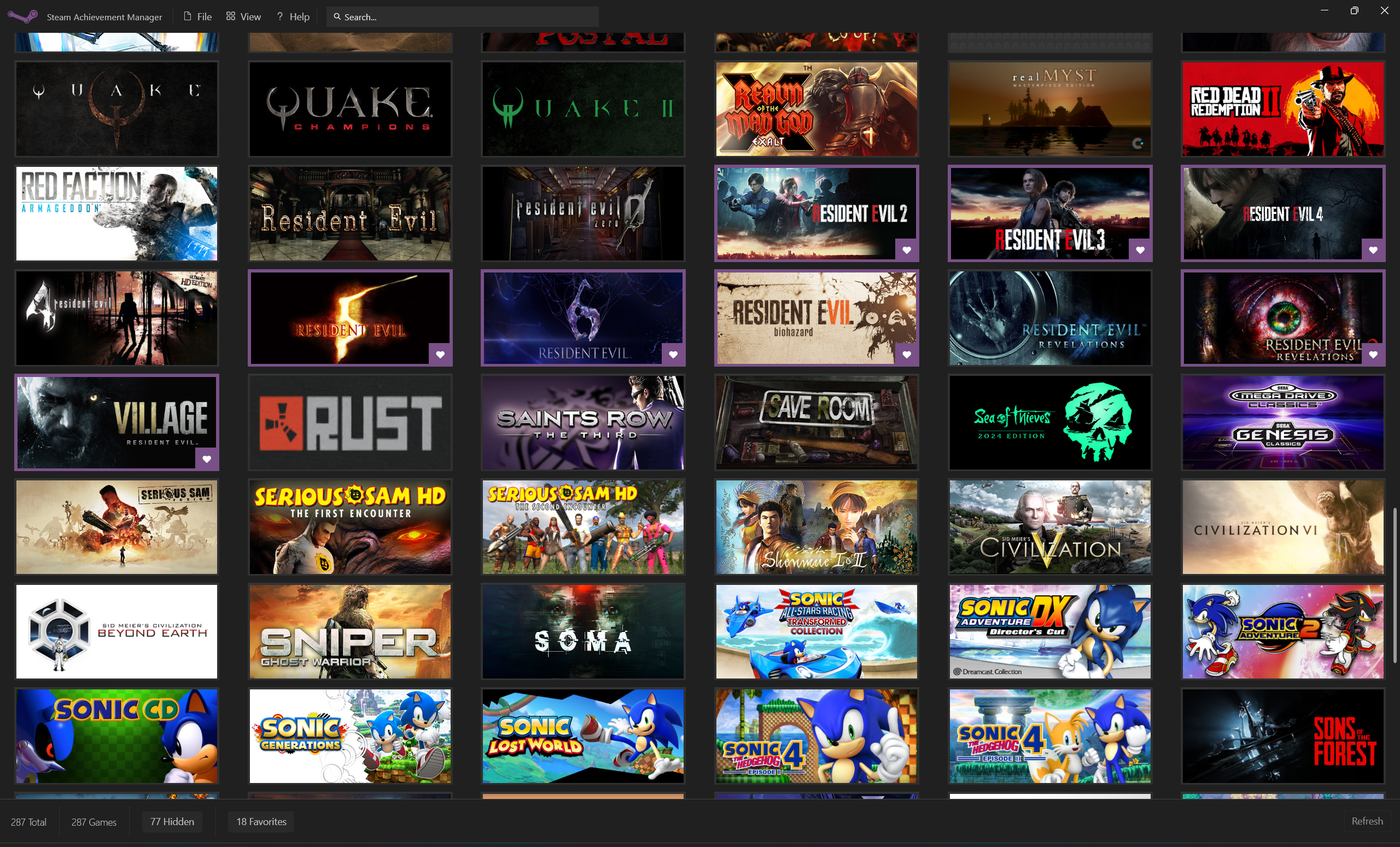
Some players play games on the Steam platform. In their view, achievements are a kind of medal that shows the game process. However, when faced with a large number of games and complicated achievements, it often feels overwhelming to manage them. An open source tool called Steam Achievement Manager (SAM) is unknowingly changing this situation.
Real Dilemma of Achievement Management
Many players have hundreds of games, and the total number of achievements may be as high as thousands. It is extremely time-consuming to manually track the achievement progress of each game, especially those achievements that require repeated grinding or have strict conditions. What is even more troublesome is that the unlocking conditions of some achievements are not clearly visible. Players can easily miss hidden challenges, making the collection process full of regrets.
According to the traditional method, players can only check their progress through the in-game menu or third-party imperfect statistical websites. The information is scattered and not very intuitive. This makes it difficult to formulate a systematic achievement unlocking plan, and the achievement lists of many players have been in a state of disarray for a long time.

Core Values of SAM Tools
The key value of the SAM tool is that it systematizes and interfaces complex achievement management. It avoids complicated manual operations and provides an operating platform for centralized management of all achievements by directly interacting with the Steam client, which frees players from repetitive labor.
This tool is free and open source and is maintained and developed by the player community. This means that its feature updates closely follow the changes in the Steam platform, and there is no risk of containing malware. Its original intention is to provide players with complete control over their game data.
Intelligent integration of game libraries
After starting SAM, SAM will scan on its own and then load your entire Steam game library. Whether you have dozens of games or thousands of games, all content will be presented in the form of clear visual cards. Each game card is directly linked to its corresponding achievement list.
git clone https://gitcode.com/gh_mirrors/ste/SteamAchievementManager
With the search or filter functions, you can quickly and easily find the game you want. The number and proportion of unlocked and unlocked achievements of the game are directly displayed on the interface, allowing you to instantly have a global overview of the overall progress and avoid the trouble caused by continuous switching between multiple games.
Efficient batch operation function
What can support batch operations on achievements is SAM. You can select multiple achievements at one time to unlock or lock (reset). This is particularly efficient when unlocking all achievements in a new game or adjusting the progress of an old game. There is no need to click repeatedly for each achievement.

For achievements that contain statistical data, such as "Kill 1,000 enemies", SAM allows you to directly modify the corresponding statistical value. You can set it to any value, for example, directly adjust it from 50 to 1,000 to achieve the achievement. This brings great convenience to modify the progress or developer testing.
Statistics and progress planning
For each type of achievement, especially those that rely on changes in in-game statistics, SAM provides a detailed display. The tool will list the current statistical values, target values, and statistical rates, and this information is the key basis for planning the unlocking path.
Based on these data, players can develop a more reasonable achievement-achieving strategy. For example, you can give priority to completing achievements that are close to the unlocking conditions, or plan to focus on improving a certain statistic within a specific game time period to achieve the goal more efficiently.
Usage scenarios and precautions
For ordinary players, SAM can be used to retrieve achievements lost due to archive damage, or to unlock achievements that cannot be obtained normally due to game bugs. It is an excellent tool for game developers and testers to verify that the achievement system is working properly.
However, it should be noted that if it is used excessively, it may affect the fun of the game itself. It is recommended that players should use this tool reasonably while respecting the game design, such as using it to fix problems, rather than relying on it to simply earn achievements, so as to maintain a fair and complete game experience.
Have you ever been troubled by the inability to unlock an achievement? Would you consider using such a tool to help manage the Steam achievement library? You are welcome to share your thoughts in the comment area. If you find this article helpful, please give it a like and support.