Many Apple users encounter various problems when managing their devices, such as slow download processes, a limited number of available resources, or complicated rooting procedures. Fortunately, there are several specialized mobile assistant software on the market that can help you simplify these operations and solve actual problems.
Features of PP Assistant
The compatibility of this tool for iOS devices is extremely broad. It can provide support, and its supported system range covers the relatively old iOS 8.x system, extending to iOS that is already in a jailbroken state. Version 9.0.2 can be used normally regardless of whether the device has been jailbroken or not. The content contained in the software library is also quite rich. It gathers a large number of currently popular game and application resources to provide users with the convenience of direct search.
At the download level, its performance is more obvious. Officials claim that its download speed is many times faster than conventional channels, which can save users waiting time. In addition, it also provides practical functions such as making personalized ringtones, installing jailbreak plug-ins, and downloading official system firmware, covering a variety of needs from daily use to advanced settings.
The core advantages of Aisi Assistant
The well-known Ace Assistant is well-known for flashing and backing up devices. Its core functions are centered around SHSH, which is the system version certification file. Users can query and back up these key files with one-click operation. This is particularly important when downgrading the system version. After all, Apple officials usually only allow upgrades.
The flashing process it has is designed to be extremely simplified. It shows that after the user connects the device, the software can automatically identify the firmware that is adapted to it, and then guide the user to complete the entire flashing process. Such a "one-click" operation method transforms the originally complex tutorial steps into a few relatively simple and easy clicks, which is of great help to novice users who are afraid of making operational mistakes.

Application scenarios of Rabbit Assistant
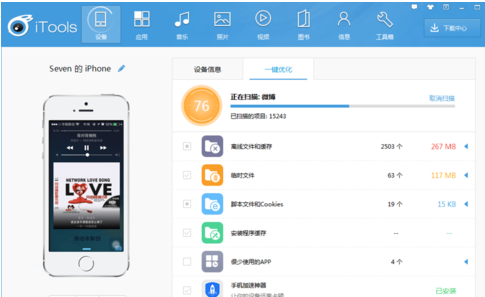
Rabbit Assistant is positioned as a comprehensive synchronization management software. It can not only manage iPhones, but also supports devices such as iPad and iPod Touch. Users can easily view device-related information and synchronize music, photos, e-books and other different types of files between computers and Apple devices.
In addition to basic file management, it also provides deeper functions. For example, users can directly install applications, download resources on the network, and even make some security changes to the system. These functions expand the original capabilities of the device and allow users to gain more customized fun.
How to choose according to your needs
PP Assistant is a more suitable choice if your device has been jailbroken, or you may need a large number of jailbroken plug-ins and resources. Its strength lies in its support for jailbreak environments and its rich unofficial resource library. Moreover, it also supports non-jailbroken devices very well.
For those users who focus solely on system maintenance and flashing their phones, Aisi Assistant is the first choice. It is basically a benchmark tool in terms of backing up SHSH and simplifying the flashing process. Especially when you need to deal with system failures or attempt to downgrade, it can provide critical support.
Things to note when using third-party assistants
When using such tools, data security is the primary concern. Before carrying out major operations such as flashing the phone or modifying the system, you must use iTunes or the backup function of the tool itself to completely back up important data on the phone to the computer to prevent data loss.
At the same time, you need to download genuine tools from the official website of the software to prevent installation on tampered versions. When installing applications from third-party assistants, you should also be wary of their origin and watch out for software that asks for unnecessary device permissions.
The development trend of future tools
After Apple officially tightened system management, the functions of such third-party assistants are also in a state of adjustment. In the future, they may focus more on services that do not involve the underlying system, such as cross-device file transfer and management, and the aggregation and distribution of dedicated resources.
The other direction of the shift is to further promote cooperation with genuine developers. The assistant platform may transform into a channel for high-quality application and game promotion, thereby providing users with legal and convenient download and update services, while protecting the interests of developers and creating a healthier ecosystem.
When you usually manage your iPhone or iPad, what are the most common troubles you encounter? Is it slow download speed, complicated file sorting, or other problems? You are welcome to share your experience in the comment area. If you find this article useful, please like it to support it.