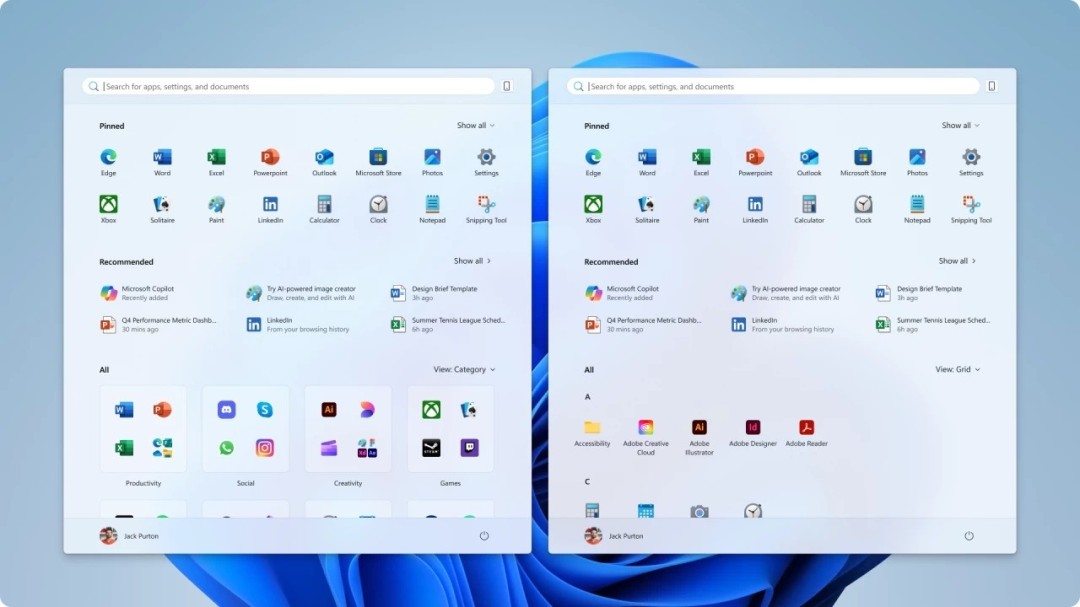
Since the release of Windows 11 in 2021, its Start menu design has been controversial and has been the focus of user complaints. It is regarded by many as a design regression. After a few years, Microsoft has released an important update and brought a version that has been long-awaited by users and has been significantly improved.
Core changes to the new start menu
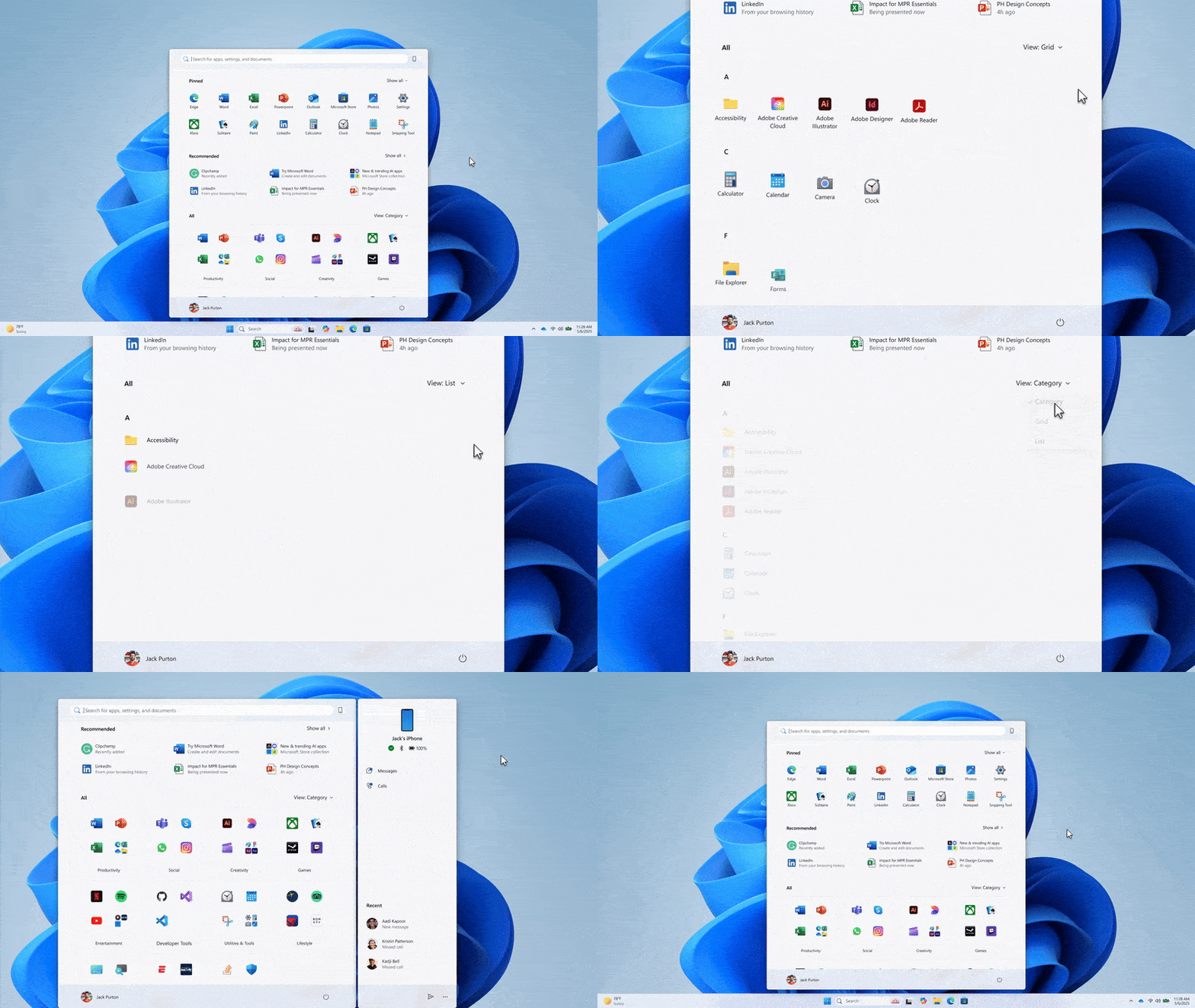
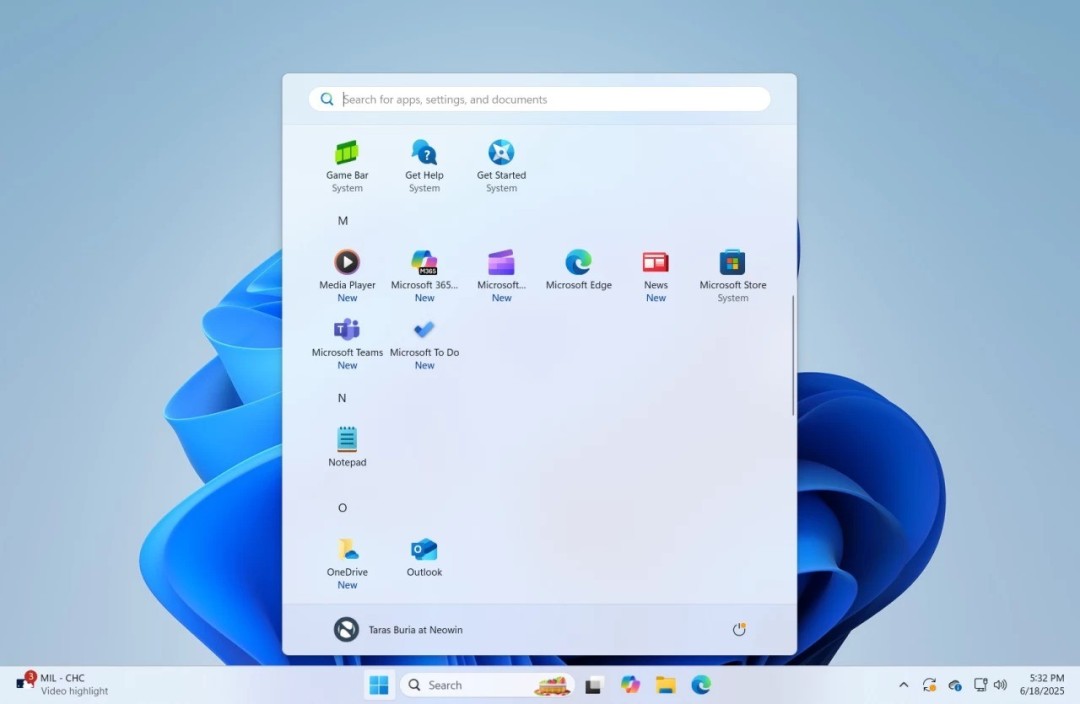
The most intuitive change of the new version of the start menu is the simplification of the structure. The old version divided "Fixed Items" and "All Apps" into two separate pages, making switching cumbersome. However, the new version merges the two into a single-page area that can be scrolled up and down. For users, there is no need to click back and forth, and the entire content can be browsed by simply scrolling the mouse or trackpad.
This layout returns to the smoothness of the Windows 10 menu and is optimized on top of this situation. It reduces unnecessary operation steps and improves the efficiency of finding and launching applications. It is especially more friendly for large-size touch screen devices. The single-page design is also more in line with modern users' expectations for a simple and efficient interface.

Turn off recommendations to free up space
The "recommended items" area that was forcibly displayed at the bottom of the menu took up space and was of low practicality. The new version finally adds a switch to turn off this area. Users can choose to hide the "Recommendations" section by going to "Settings," then "Personalization," then "Start."
This change completely returns valuable screen space to users. After closing, this area can be used to pin more commonly used software, files or folder shortcuts, thereby enabling the menu to be truly personalized, which resolves users' dissatisfaction with Microsoft's "forced push content".
New app list view
The new version provides three browsing views for the "All Apps" list. The default "Grid View" displays programs with medium-sized tiles, the concise "List View" displays a compact text list, and the new "Category View" automatically groups applications according to system classifications.
Users can freely switch based on their usage habits and the number of installed applications. For example, users with a large number of installed applications can choose "category view" to quickly locate tools or games, while users who pursue minimalism are more suitable for "list view", which gives far more flexibility than the old version. ,.
Update acquisition and activation methods
This new Start menu, which is part of the optional non-security preview update in October 2024, is being rolled out step by step to users of Windows 11 24H2 and higher. If you don't want to wait for automatic updates, you can manually check for updates. Make sure the system version number is 26100.7019 or above.
If you want to enable it manually, you have to download the third-party tool called "ViveTool", run the command prompt as an administrator, navigate to the directory where the tool is located, and then execute a specific command to enable the hidden function ID. After that, restart the computer, and the new menu and related UI improvements will take effect.
Deeper design concept adjustments
This update by Microsoft reflects its emphasis on user feedback. From forced promotion to allowing "recommendations" to be turned off, from split layout to unified scrolling, it all shows that the design idea has changed from "educating users" to "serving users". This change is extremely critical to improving the reputation of the Windows system.
Taking into account the adaptation of different device forms, the new design is presented. In the 2-in-1 tablet mode, the single-page scrollable layout experience is significantly better than the old version, and when combined with it and accompanied by touch operations, it will appear extremely natural. This fully demonstrates that Microsoft is becoming more pragmatic in its efforts to unify desktop and mobile experiences.
Implications for future system updates
This start menu improvement is a positive sign that the core user interface is not the same all the time. It proves that as long as users continue to provide critical feedback, there is a chance for substantial revisions even if the design has been released for many years. This will probably encourage more users, allowing them to actively provide feedback on their experience.
Microsoft uses batch push and preview updates to test new features, which is a relatively stable strategy. Before users manually enable it, users should be aware that this is a test function, and this test function may have unknown stability issues. For ordinary users, waiting for the official push is still a safer option.
Can you tell me, have you started using this unconventional new start menu? If you think about it carefully, in terms of judging its ease of use and efficiency, when comparing it with the old version and the menu of Windows 10, where do you think it shows the most significant improvement or obvious shortcomings? I sincerely hope that you can share your true and immersive experience in the comment area without reservation. Also, don’t forget to like this article and share it with more friends who may actually need it.