
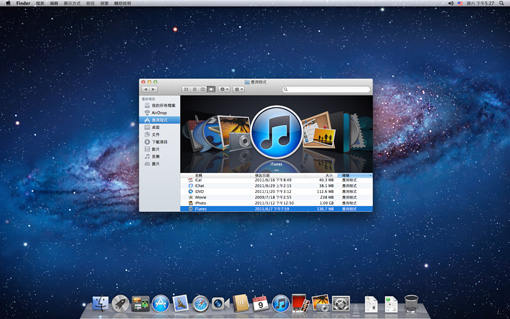
In 2011, Apple launched an operating system update that attracted widespread attention. It not only changed the way users interact with Mac computers, but was also seen as a key step in the transition to the mobile era.
System update background
On July 20, 2011, Apple officially provided Mac OS X Lion system to users through the Mac App Store. This update is a key node in the development of Apple's operating system and is specifically designed for Mac computers using Intel chips. Prior to this, the developer preview version of the system was released in February of the same year for software developers to adapt in advance. This generation of systems continues Apple's tradition of naming big cats, with its internal codename "Lion" following the previous version's "Snow Leopard".

Interactive gesture innovation
The Lion system brings a new multi-touch gesture operation. Although the screen itself does not support touch, users can achieve rich controls with the help of the trackpad. For example, gently swiping up with four fingers on the touchpad can quickly view all windows opened by the current application, and gently swiping down with four fingers can overview all workspaces and programs. These gestures replace some individual buttons or menu operations in the old version, making window management more intuitive and smooth.
Interface integrates mobile elements
This version of the operating interface significantly drew on the already successful iPad design concept at that time. The system introduced an iOS-like home screen view, and all the applications installed by the user were displayed in a grid of icons. In addition, Apple added a full-screen running mode for the first time to some of its core applications, such as the Safari browser and the mail client. This made the Mac experience more visually similar to that of a tablet, blurring the boundaries between traditional desktops and mobile devices.
File sharing and transfer
AirDrop is a unique feature introduced by the Lion system, which greatly simplifies the file sharing process between Mac computers within the LAN. Users can simply open the AirDrop interface in the Finder window and see the devices in front of them that also have this function turned on. Just drag the file onto the icon of the other device to start transferring quickly, without the need to carry out complicated network settings or use external storage devices. This facilitated small team collaboration or data exchange between personal devices at the time.
Email and communication upgrades
The internal Mail application has been upgraded to version 5. The layout of its interface has been redesigned and work efficiency has been improved. The new interface uses a three-column design, allowing users to view the email list, the complete content of the selected email, and the mailbox folder at the same time. This layout makes the browsing and management of emails more centralized, reducing the number of switching between different windows or views, and is especially suitable for users who need to process a large amount of emails.
System Reliability and Recovery
Lion has strengthened the automatic save and restore mechanism of the system. Applications have the ability to automatically save the user's work progress, thus reducing the risk of data loss due to unexpected power outages or program crashes. The accompanying "system continuation" function goes even further. When the user restarts the computer, the system can automatically reopen all the applications and windows that were used earlier and restore them to their previous working state, as if the computer had never been shut down, effectively saving the time required to reconfigure the working environment.
When you first used the Mac OS