Microsoft's inclusion of AI functions in the terminal tool Windows Terminal has attracted widespread attention. However, this is not the out-of-the-box situation that users expected, but is bound to its own paid API. This approach has sparked a lot of discussion in the developer community.
Integration background and charging strategy
Microsoft announced in September 2023 that it would integrate AI chat functions into Windows Terminal, and then officially launched it in an update at the end of October. This action is seen as a key step for Microsoft to integrate AI into its developer tool chain, with the purpose of improving the work efficiency of command line users.
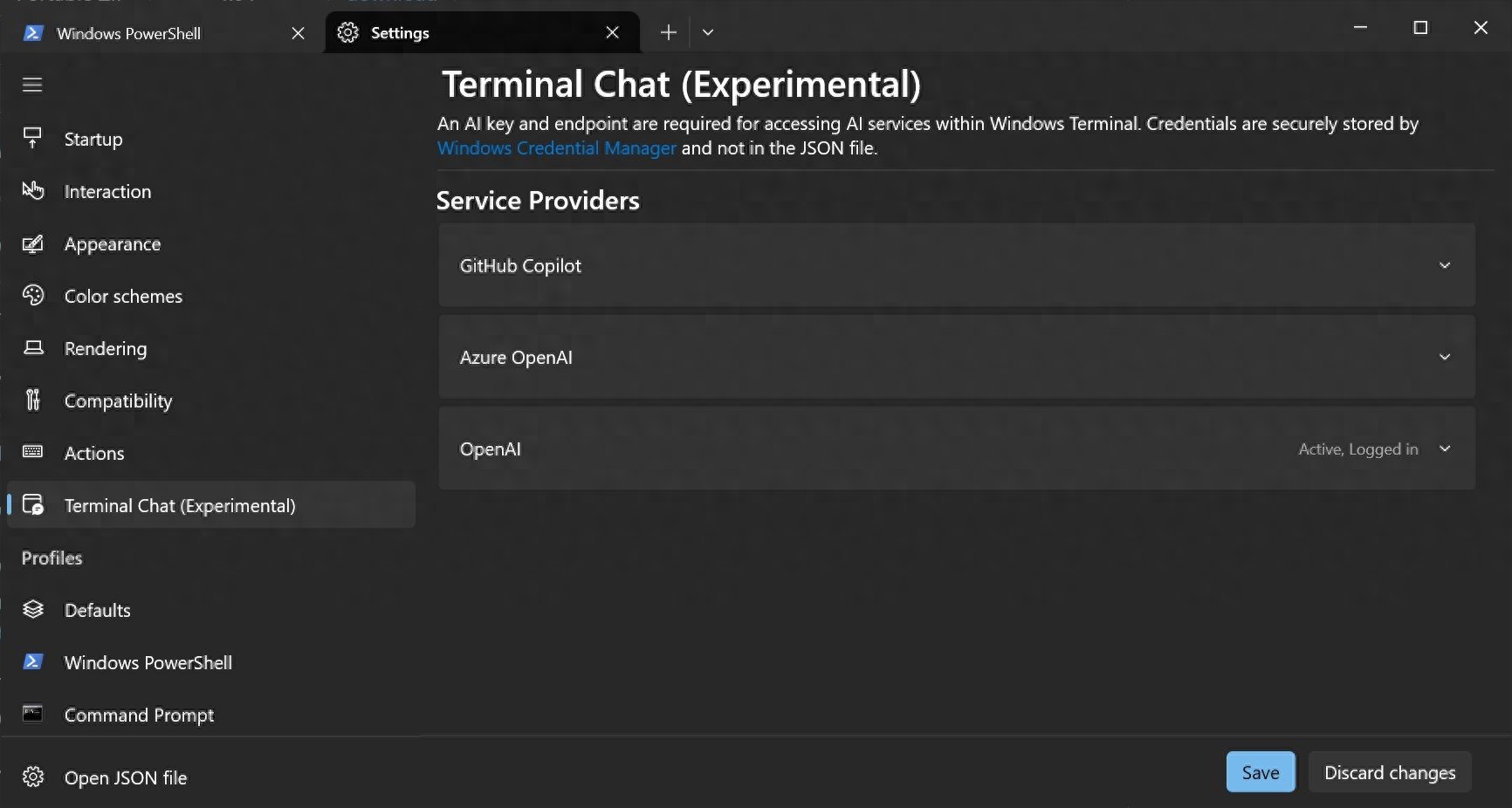
However, this new feature is not provided for free. Users must prepare and enter OpenAI's API key, Microsoft Azure's AI service API, or GitHub Copilot's API key to activate it. This means that users have to pay for each answer generated by the AI, and the cost is passed directly to the user.
How it works
After the user completes the verification of the API key, they can interact with the AI in the newly created chat window in the terminal. The user enters a question, and the application will send the request to the corresponding AI service for processing, and then provide suggestions back to the user. The entire process is dedicated to seamlessly embedding the smart assistant experience in the command line environment.
This feature has the ability to intelligently identify the Shell environment the user is currently using, such as PowerShell or Windows Subsystem for Linux (WSL). Based on the recognized environment, AI will give correct command suggestions corresponding to the context, thus reducing the user's burden of memorizing commands when switching between different systems.

Specific experience
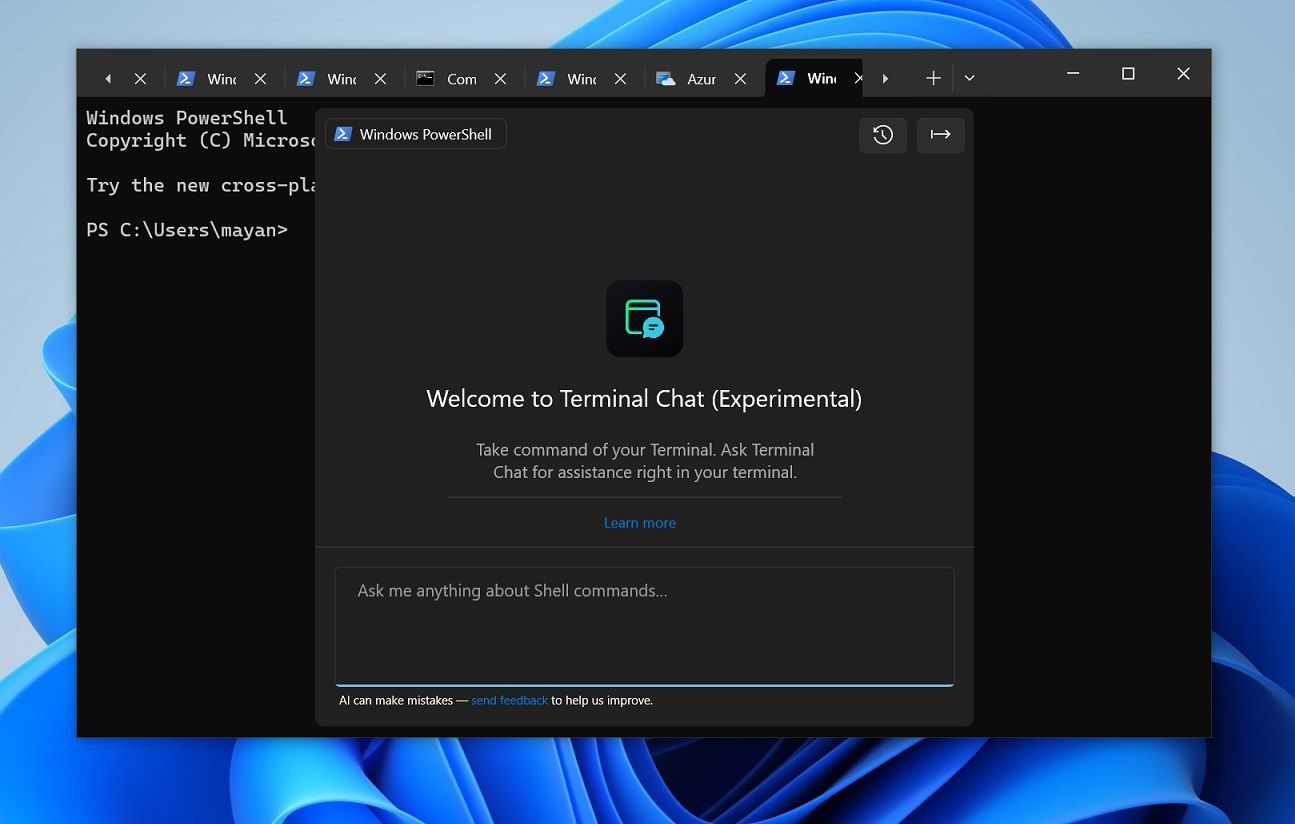
According to actual tests conducted by technology media, after configuring using OpenAI's API key, a new tab called "AI Chat" can be opened in Windows Terminal. This interface contains a chat box, as well as buttons to clear history and export conversations.
Its interface design uses a compact layout to adapt to the terminal's own working area and prevent it from taking up too much screen space. It retains the core elements of conversational interaction while removing some of the flashy visual decorations found in ordinary chatbots, making it more in line with developers' usage habits.
Practical application scenarios
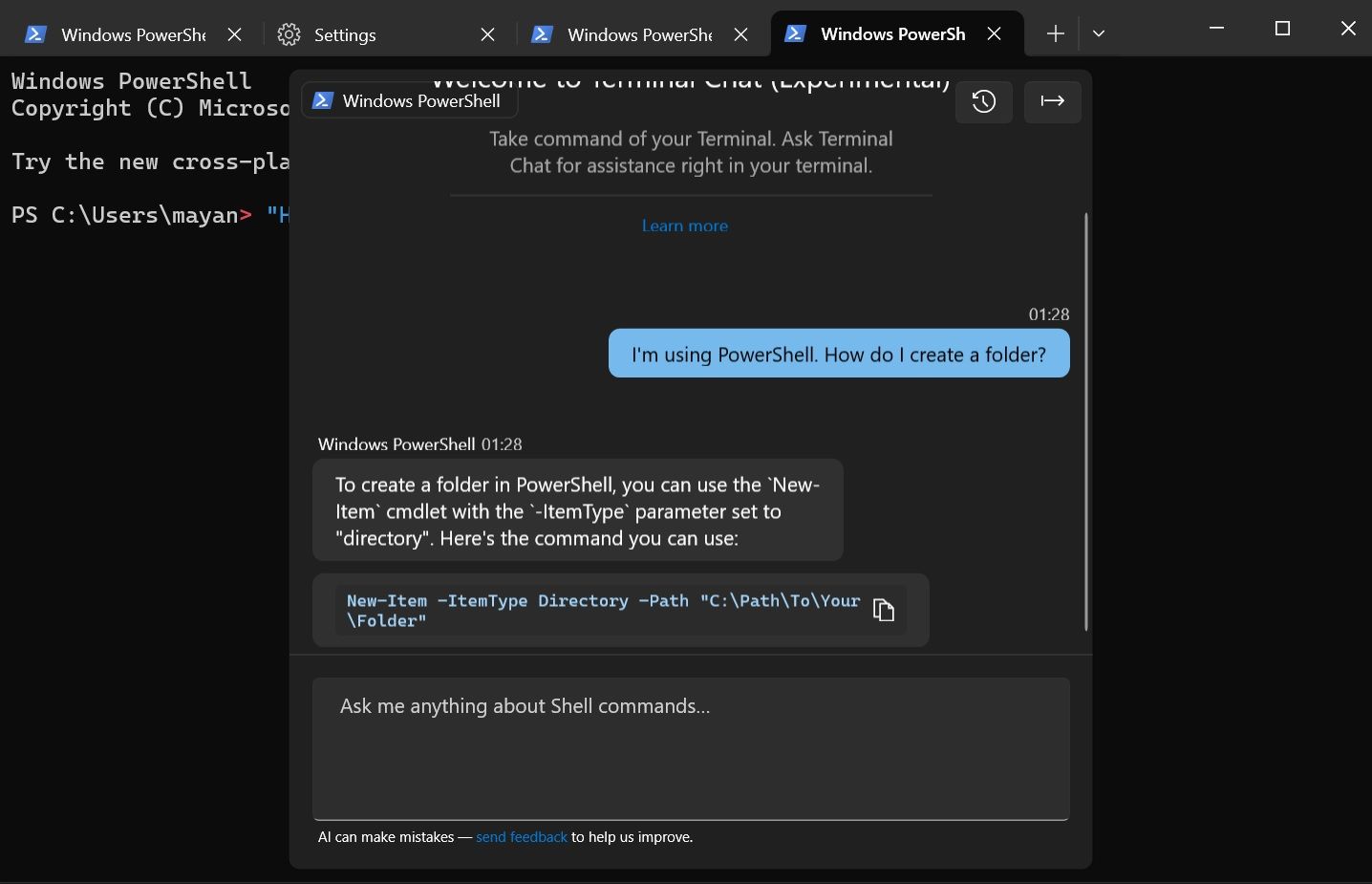
During the test period, users were able to ask questions in natural language. For example, if you ask "How to create a folder" in the PowerShell environment, AI will suggest using the "New-Item" command and attach the correct parameters. This interaction reduces the need for complex command memory.
If the user asks the same question in the Linux environment, AI will recommend the use of the "mkdir" command. If the user encounters an error when executing a command, he or she can paste the error message directly into the chat window, and AI can analyze the cause of the error and give repair suggestions, which plays a real-time role in assisting debugging.
Impact on developers
This integration that brings AI capabilities directly into the command line at the core of the development workflow is expected to reduce the time spent reviewing documents and obtain solutions directly through dialogue for developers who often deal with terminals. This is also true for system administrators and advanced users.
However, its payment model has caused new considerations. Individual developers and small teams have to weigh the balance between usage cost and efficiency improvement. Especially when carrying out a large number of exploratory operations or debugging, frequent AI calls are likely to incur significant costs.
Market response and future prospects
Some relevant observers regard this action taken by Microsoft as a means to promote its Azure AI services. It encourages users to directly use the API of the Microsoft cloud platform, thereby achieving the purpose of consolidating its cloud ecosystem. There are also such voices in the community, hoping that a more flexible billing form will appear in the future, or a more friendly free quota for individual users.
When AI-assisted programming becomes more widely used, terminal-integrated AI is likely to become a standard configuration of development tools. This not only changes the way users learn and use commands, but may also promote the development of the command line interface itself in a more intelligent and interactive direction.
For those developers who often need to use the command line frequently, would you be willing to continue to pay for this type of AI assistant function integrated in the terminal, or would you prefer to use independent tools that can be used without spending money? Welcome to share your views in the comment area, and please give this article a like to support it.