Recently, Microsoft pushed an optional update for Windows 11, which was originally intended to "slim down" the Start menu. However, it unexpectedly pushed users into a deeper setting trap.

Update intent and potential costs
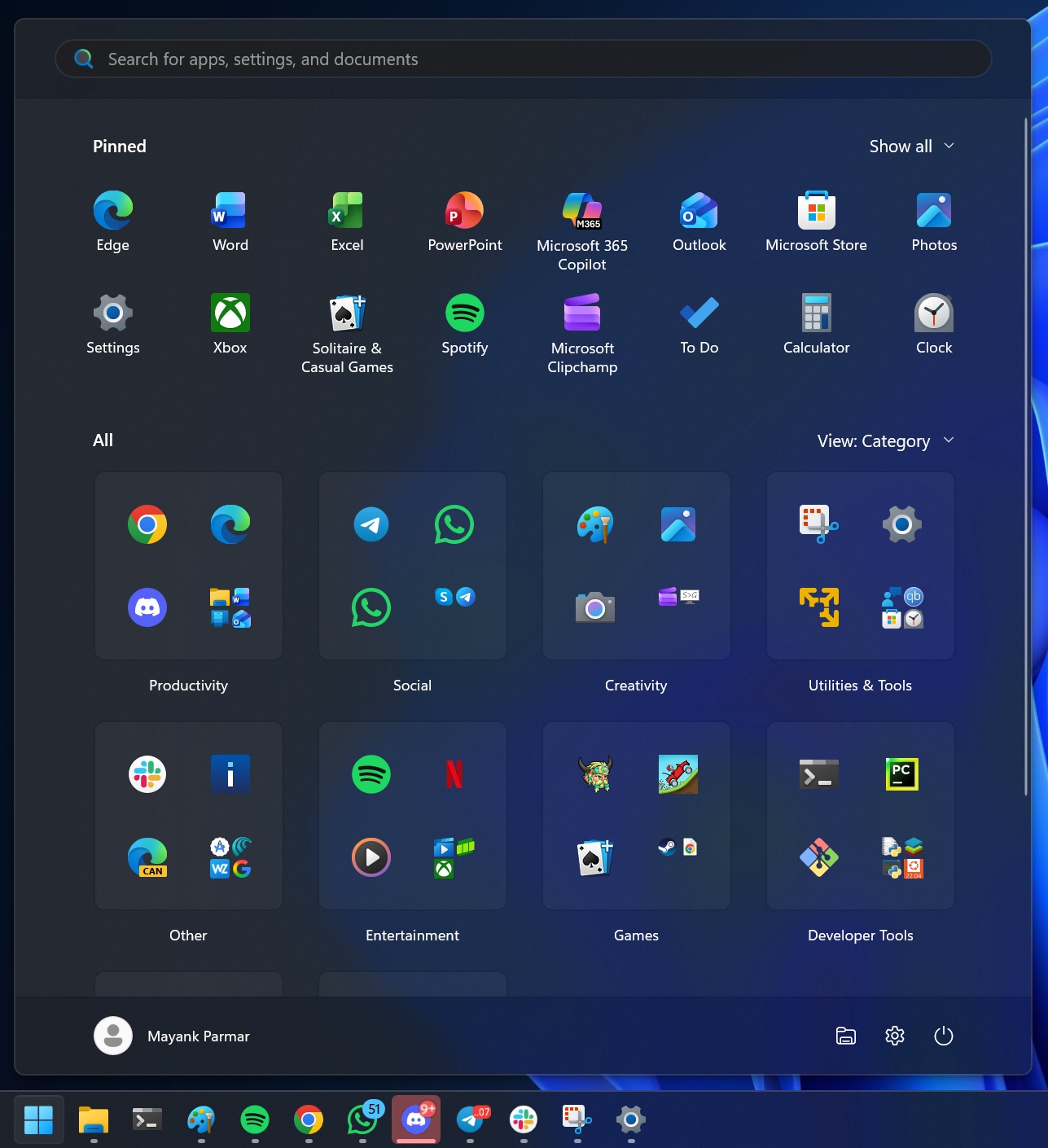
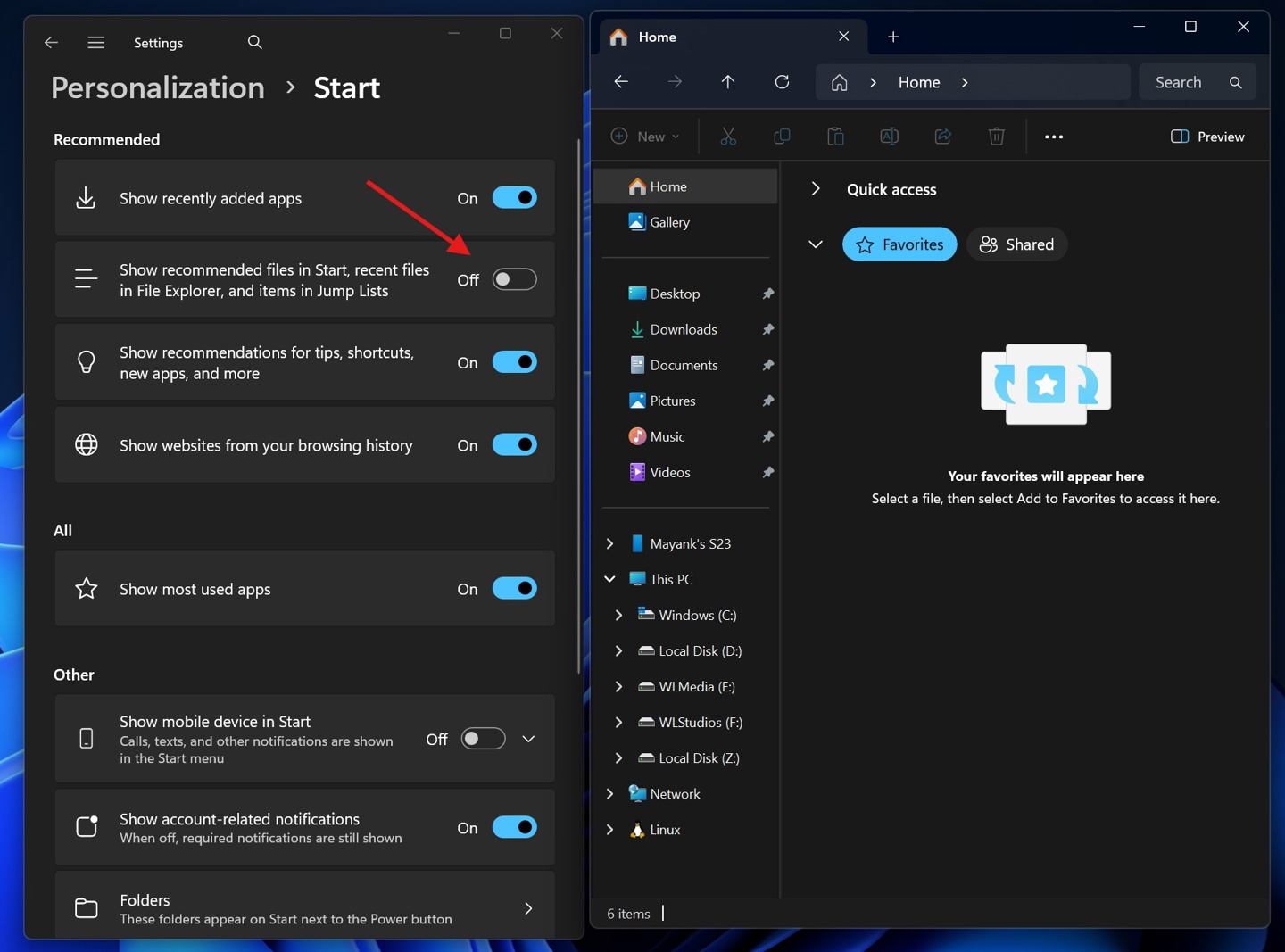
In early November 2023, Windows will be pushed to users In the October 11 optional update (KB5031455), Microsoft added a setting switch called "Show Recommendations" in this update. Users can find this new option by opening Settings, entering Personalization, and then going to the Start Menu. The original design intention is very clear, to give users more control and allow them to hide the dynamically changing "Recommended" items in the Start Menu with one click. For users who pursue a simple desktop, this sounds like pure good news. What they want is just a cleaner start menu interface with fewer distractions, without being disturbed by their recently opened files or installed applications.
Unexpected functional chain reaction
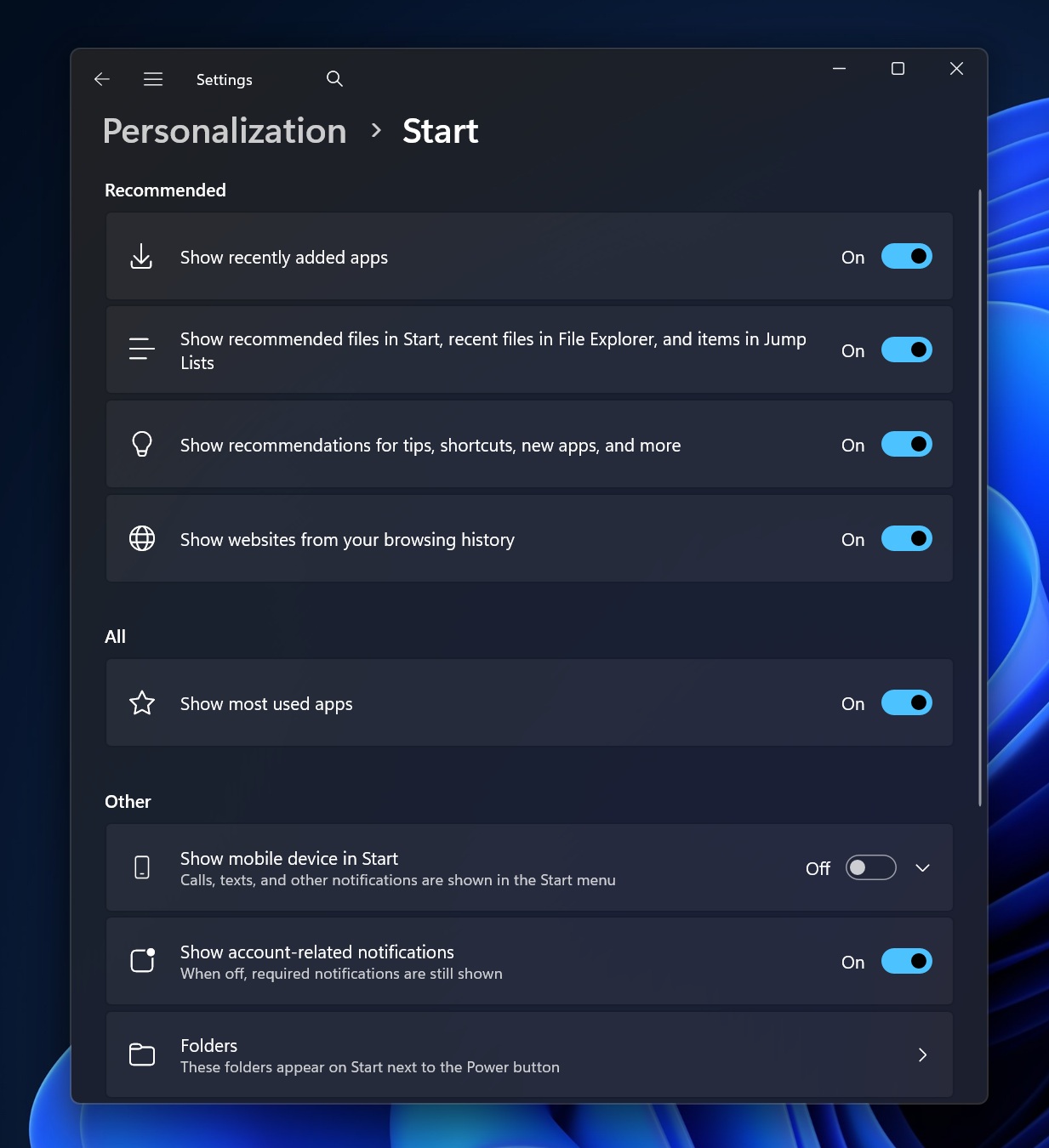
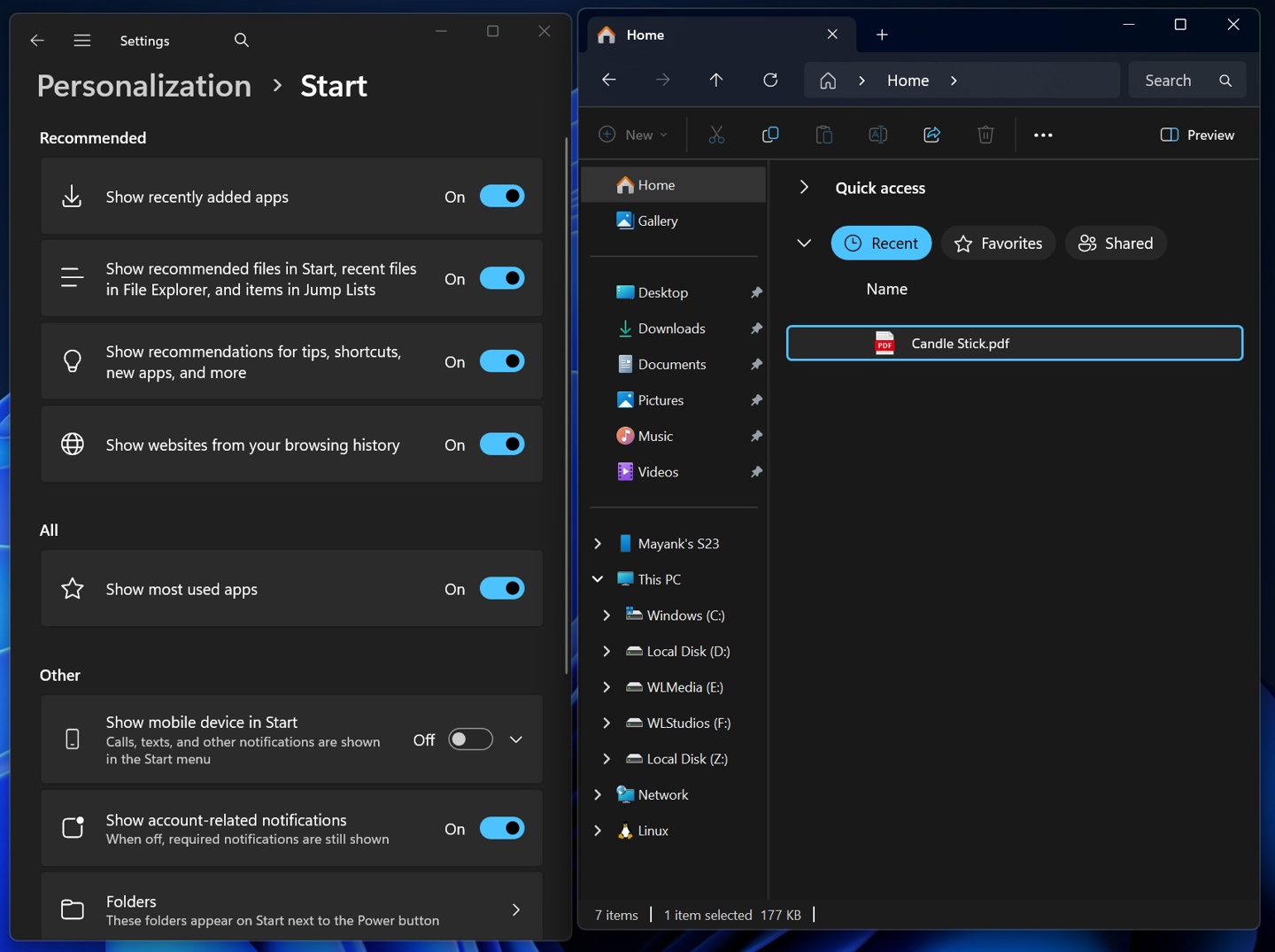
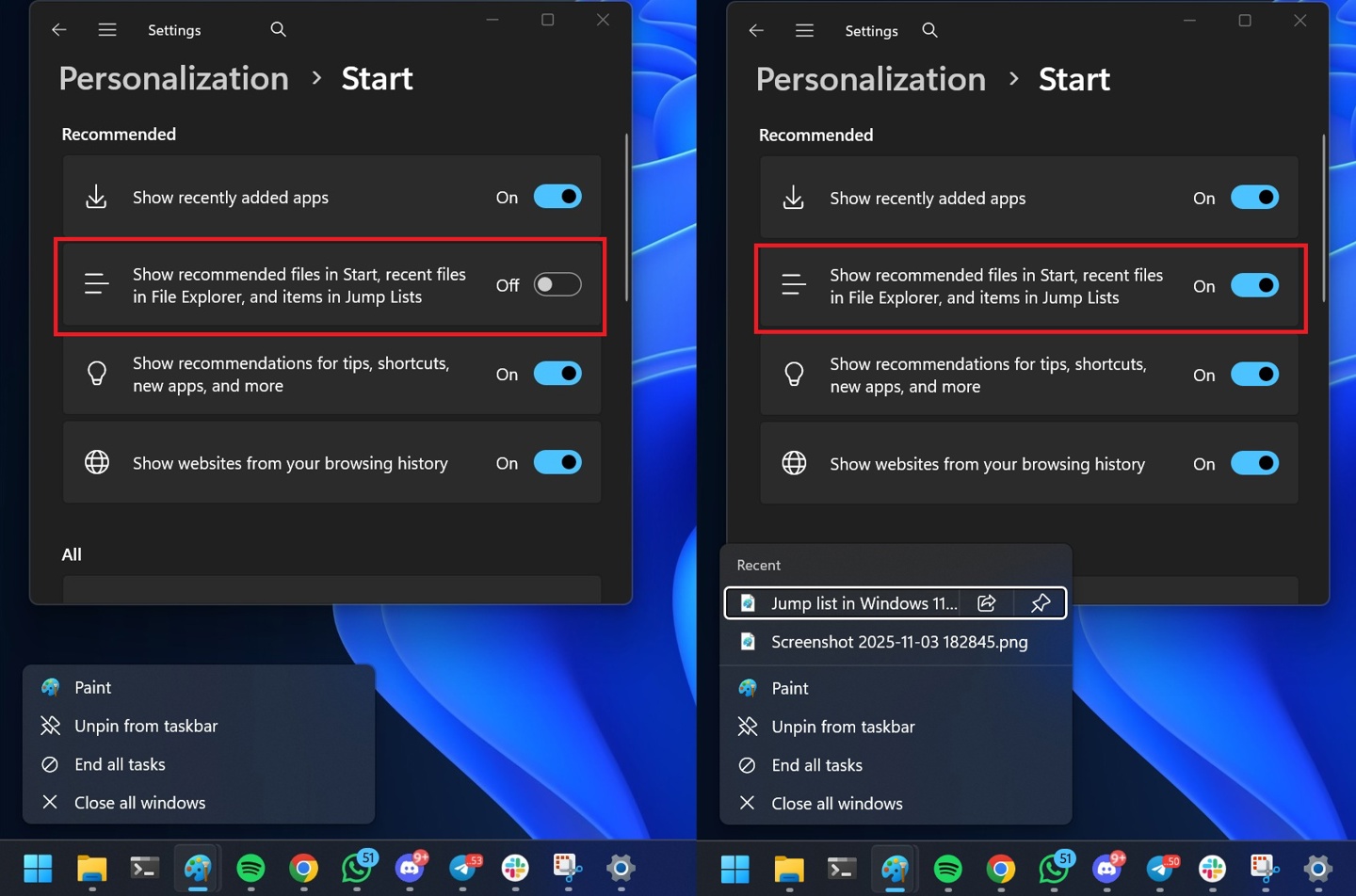
However, after testing by technology media, this seemingly simple switch has unexpected side effects. When users turn off the "Show recommendations" option in settings, the changes are not limited to the start menu. In the File Explorer sidebar, the "Recently Used Files" list will immediately become blank, and any recently accessed documents, pictures, or folders will no longer be displayed. At the same time, in the right-click menu of application icons (such as Word and Explorer) on the taskbar, the "jump list" area that originally displayed recent files will also disappear. These three seemingly independent functions are disabled together by the user operating a switch.
The problem lies in the underlying design
The root cause of this phenomenon lies in the unified data engine at the bottom of the system. Microsoft designed a background service called "Recent Activity" in Windows. It is like a central log that continuously records the files opened by the user, the applications run and the websites visited, and the "Recent Activity" of the Start menu. "Recommended" section, File Explorer's "Recent" list and the taskbar's "Jump List", these three are actually different display windows of the same data source. Therefore, the new setting switch technically controls the switch of the underlying "Recent Activity Engine", not just the display layer of the Start menu. It is a global master switch.
Bundle design sparks user experience criticism
Such bundled design logic has led to widespread criticism of user experience. The user's original request was particularly specific and limited, simply to make the Start menu simpler. However, the options given by the system are a "choose one" problem, either accept the recommended content of the Start menu to retain convenient access to recent files, or completely turn off all recent activity records in exchange for a refreshing Start menu. Such an either/or design is regarded by many professional reviewers as a lazy and poor solution because it does not accurately match the user's actual usage intention.
Discussion of possible technical solutions
In fact, it is entirely feasible to achieve more precise control at the technical level. Microsoft can refer to the logic of the existing system and set up a display filter specifically for the Start menu. For example, the "Recommended" area of the Start menu currently displays a mixture of recent applications and files, but the "Recent" list of the File Explorer only displays files. This proves that the system itself already has the ability to perform differentiated selection of the same data source. Therefore, engineers can design a switch that is only used to filter the display of the start menu without touching the "recent files" and "jump list" functions. The current way to achieve it is closer to a state of concession that abandons the user's right to choose for the convenience of development.
Microsoft’s response and future prospects
Microsoft has already responded to this problem and the visual problems it exposes such as inconsistent interface sizes. A Microsoft spokesperson confirmed that the company has taken note of user feedback and is conducting internal testing of a larger search interface in the hope of better matching the visuals of the new Start menu. This means that Microsoft acknowledges some of the experience flaws caused by the update. However, for functional bundling issues, the official has not yet given a clear repair timetable or made corresponding commitments. Users can only hope that in future cumulative updates, Microsoft can separate this "bundle" switch and give users more detailed control.
Have you ever had to change your usage habits or give up other convenient features due to a seemingly minor setting change in the operating system? Welcome to share your experiences and opinions in the comment area. If you feel this article is helpful, please like it and share it with more friends.